
Sales Navigator + LinkedIn prospect intelligence for IT services leads
A repeatable way to find qualified MSP, co-managed IT, cloud, and cybersecurity buyers by combining account targeting, buying signals, and decision-maker mapping—so you stop sending volume and start getting real conversations.
- Build clean ICP account lists by size, industry, and region (not “any company with computers”).
- Identify the real buying committee: IT + Ops + Finance/Procurement (2–4 contacts per account, not one).
- Prioritize outreach only when the account is in motion: new CIO/CISO, security initiative, hiring spikes, expansion, compliance deadlines.
- Generate outreach briefs and personalization angles tied to the trigger (M365/Azure, MDR/vCISO, ticket backlog, audit prep), not a generic service menu.
Why MSP and IT consulting outreach stalls (and why it feels worse every quarter)
You can feel it when the month starts: payroll is fixed, delivery has bench risk, and the pipeline has that thin, brittle look. You tell the team to “do more LinkedIn.” They do. Activity goes up. Qualified conversations stay flat.
The scary part isn’t the low reply rate. It’s the board/partner question you can’t answer cleanly: Where will next month’s opportunities come from?
Most IT services outreach fails for one boring reason: you’re messaging the wrong org at the wrong moment—usually the wrong person inside it. And the market punishes that now. IT buying is more committee-driven, inboxes are flooded with templated MSP/cyber pitches, and geography barely protects you anymore.
- Too broad targeting → you chase accounts with no budget, no urgency, or a parent-company IT org that will never outsource.
- Wrong titles → you end up with helpdesk managers and sysadmins who can’t sponsor a switch, even if they like you.
- No timing → you pitch “we do M365/Azure/MDR” with no reason now, so it reads like every other vendor.
- One-contact-per-account → a single champion goes quiet and the deal dies because procurement/finance never got covered.
- No intelligence layer → reps spend hours on list-building and profile skimming, then still send generic messages because nothing specific was captured.
Fixing copy won’t fix this. Replies are a targeting + timing + committee problem.
ICP clarity your sales team can actually execute (with hard disqualifiers)
If your definition of “fit” is basically “has employees,” LinkedIn will happily waste your week. The fastest win is to stop pretending one ICP covers MSP + co-managed + security + cloud projects. Separate the motion, then build lists that match it.
Template 1: Managed IT / MSP (20–200 employees)
- Size: 20–200 employees, often multi-location or hybrid.
- IT reality: no mature security program; IT ownership is thin (often 0–3 internal IT people).
- Common triggers: leadership turnover, multi-site growth, recurring outages, “we need standardization” language.
Template 2: Co-managed IT (200–2,000 employees)
- Size: 200–2,000 employees with an IT manager/director in place.
- IT reality: understaffed; ticket backlog; projects stuck; hiring open roles (sysadmin, helpdesk, security analyst).
- Common triggers: hiring surge, expansion/new locations, ERP/CRM rollout, “standardize endpoints/Intune” initiatives.
Template 3: Security/Cloud projects (regulated or scaling orgs)
- Size: mid-market and up (often 200–5,000 for MDR/vCISO to have a real program and budget).
- IT reality: compliance pressure (SOC 2, ISO 27001, HIPAA), cloud migration, security incidents, board scrutiny.
- Common triggers: audit prep posts, security leadership hire, ransomware chatter, cloud architect hiring, “Zero Trust” initiatives.
Hard disqualifiers (save the hours)
- They are an MSP/IT consultancy/VAR (unless you’re building a separate partner/channel list).
- They’re too small to have an accountable IT owner (unless you sell a micro-package by design).
- Out of your serviceable geography (onsite/hybrid MSPs) or time zone constraints (remote-only teams).
- Enterprise procurement motion when your offer is SMB-packaged (you’ll drown in vendor onboarding before you see revenue).
- They have a large, mature internal IT org with specialized teams for everything you sell (not impossible, just a different deal).
Buying committee map for IT services deals (cover 2–4 contacts per account)
One-contact selling is why your LinkedIn “conversations” don’t become pipeline. In IT services, the buyer is rarely one person. You need a small map: who owns budget, who owns risk, who owns implementation, and who blocks vendors.
| Role in the deal | Common titles to target | What they care about (so your message lands) |
|---|---|---|
| Economic buyer | CIO, VP IT, Head of IT, IT Director; in SMB: COO, CFO | Risk reduction, predictable delivery, cost control, “no surprises” operations |
| Technical evaluator | Infrastructure Manager, IT Ops Manager, Systems/Network Manager, Security Manager, Architect | Operational reality: endpoints, identity, patching, tooling, runbooks, handoffs, response times |
| Security owner (when MDR/vCISO) | CISO, Head of Security, Director of Cybersecurity/InfoSec | Coverage gaps, telemetry, response, audit evidence, executive reporting |
| Gatekeepers | Procurement Manager, Vendor Manager, Strategic Sourcing, Finance Director, CFO | Terms, vendor risk, price structure, service credits, renewal posture |
Rule: don’t build a list of “leads.” Build a list of accounts with committee coverage. Two contacts is the floor. Four is often ideal (IT + security/ops + finance/procurement).
Sales Navigator filter recipes (copy/paste) for IT services lead lists
Most teams run one broad search and wonder why quality is random. Build separate searches per offer and per trigger. Keep exclusions aggressive. Then you’re not “doing LinkedIn.” You’re running a prospect intelligence process.
Recipe A: Local SMB MSP targets (20–200)
- Account filters: Geography = your service radius; Headcount = 20–200; Industries = pick 5–10 you serve (e.g., healthcare, manufacturing, legal, accounting, logistics, construction).
- Account exclusions: Industry excludes = Information Technology & Services, Computer & Network Security, Staffing & Recruiting (unless intentional).
- Lead filters: Title contains = CIO OR “Head of IT” OR “IT Director” OR “Director of Information Technology” OR COO OR CFO; Seniority = CXO, VP, Director.
- Extra refinement: Lead posted on LinkedIn in last 30 days (when available) to avoid dead profiles.
Recipe B: Co-managed IT targets (200–2,000)
- Account filters: Headcount = 200–2,000; Geography = served regions; Headcount growth = positive (last 6–12 months) if available.
- Lead filters: Function = Information Technology, Operations; Titles = IT Manager, IT Ops Manager, Infrastructure Manager, Service Delivery Manager, IT Director.
- Keywords (lead/company): “hybrid,” “multi-site,” “standardization,” “Intune,” “M365,” “Azure,” “service desk.”
Recipe C: Cybersecurity services (MDR/vCISO, assessments)
- Account filters: Industries = regulated/attack-prone (healthcare, finance, insurance, manufacturing, logistics, SaaS); Headcount = 200–5,000 (adjust to your deal size).
- Lead filters: Titles = CISO, Head of Security, Director of Information Security, Director of Cybersecurity, IT Director; Function = Security, Information Technology.
- Keywords: “SOC 2,” “ISO 27001,” “HIPAA,” “ransomware,” “Zero Trust,” “SIEM,” “MDR.”
- Exclusions: Remove security vendors, consultancies, and resellers unless you’re intentionally doing channel.
Recipe D: New IT leader trigger list (high-response window)
- Lead filters: Title contains = CIO OR CISO OR IT Director OR “Head of IT”; “Started new position” / changed job in last 90 days (or the closest equivalent filter available).
- Account filters: use your preferred size bands + industries; keep geography aligned to delivery.
- Why it works: first 30–120 days is when leaders are triaging vendors, inherited messes, and board expectations.
How LinkedoJet fits here: we build these searches into a living list system, keep them updated weekly, apply your disqualifiers consistently, and produce account lists that already include committee coverage and trigger notes—so reps stop rebuilding the same list from scratch.
Intent signals that change your messaging (and your reply rate)
Most MSP/cyber messages fail because they start with you. The better opener is the change the buyer is already living through. LinkedIn is full of those signals—if you know what to look for and you capture it as an outreach brief, not a vague “personalization” line.
LinkedIn-native signals
- New CIO/IT Director/CISO announcement → angle: “30-day stabilization + inherited risk triage” (what they can fix fast without blowing up the team).
- Posts about incidents/outages (phishing, ransomware, downtime, DR tests) → angle: “reduce blast radius + evidence-based hardening” (not fear, just operational control).
- Posts about migrations (M365, Azure, consolidation) → angle: “plan the cutover + keep tickets from spiking” (delivery and change management).
- Active posting in last 30 days → angle: ask a precise question tied to their post; don’t pitch in the first sentence.
Company signals (LinkedIn + public breadcrumbs)
- Hiring IT roles (helpdesk, sysadmin, security analyst, cloud engineer) → angle: co-managed support to clear backlog while they hire, with clear boundaries and SLAs.
- Expansion/new locations → angle: “standardize endpoints + identity + onboarding/offboarding across sites.”
- M&A / integration → angle: “tenant consolidation, identity clean-up, network rationalization, and security baselining.”
- Compliance milestones (SOC 2, ISO 27001, HIPAA audit prep) → angle: “audit evidence + control owners + monitoring (MDR) so the program survives past the audit.”
When the trigger is real, your message gets simpler. You’re not begging for attention—you’re naming what’s already happening and offering a next step that matches it.
The LinkedoJet system for IT services: weekly prospect intelligence → prioritized accounts → outreach briefs → qualified conversations
This is where most “LinkedIn automation” tools fall down. They can send messages. They can’t decide who should be messaged, when, why now, and which stakeholder you need next inside the account.
LinkedoJet is built as a managed prospect intelligence and outbound execution system for IT services firms. It turns Sales Navigator into a weekly engine your team can trust.
How it runs (the operational loop)
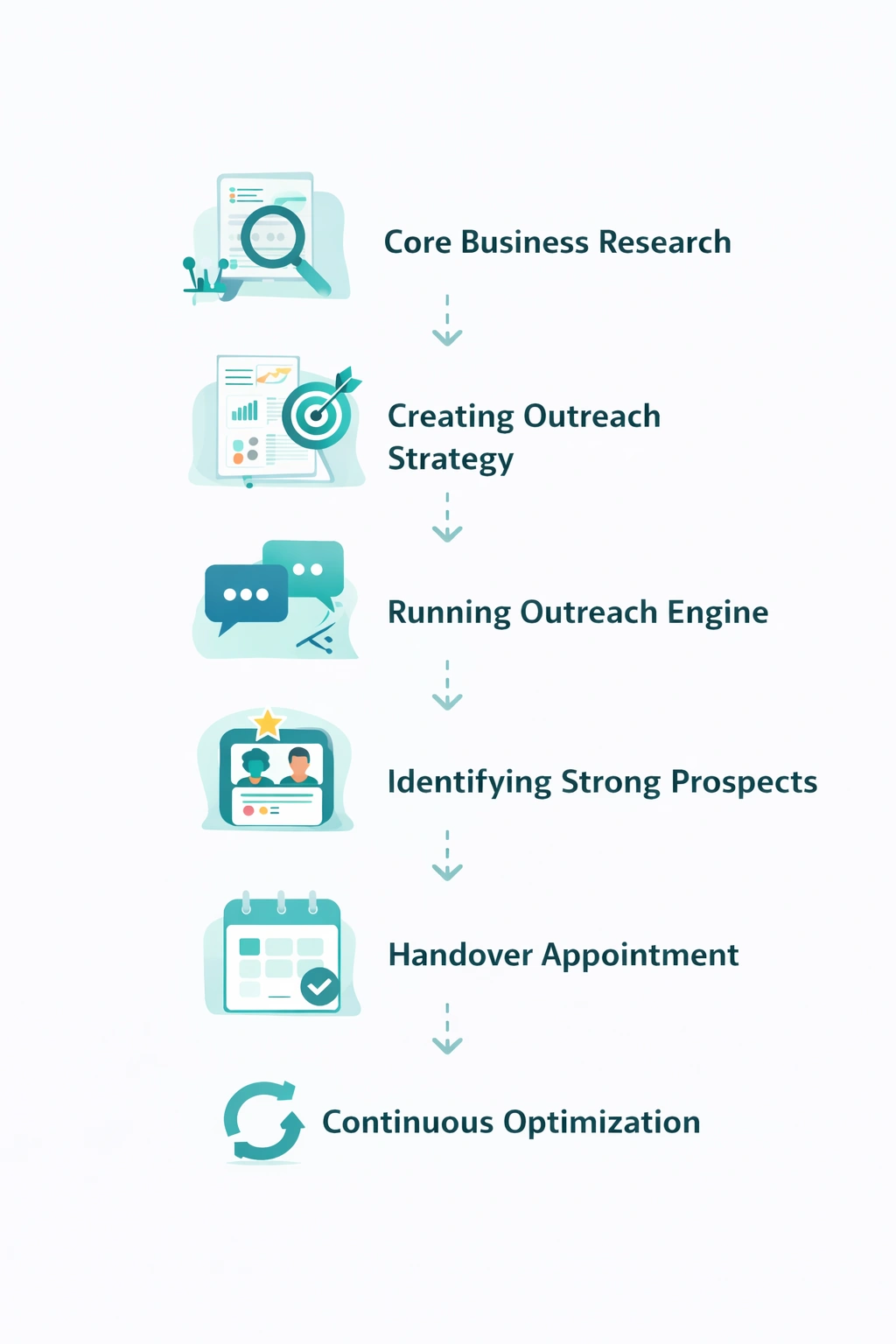
- Define ICP segments you actually sell (MSP vs co-managed vs MDR/vCISO vs cloud projects) and lock geography, size bands, vertical priorities, and disqualifiers.
- Build and maintain Sales Navigator lists with consistent qualification rules, exclusions, and separate lists per segment/region (plus a dedicated “new IT leaders” trigger list).
- Map the buying committee (2–4 contacts per account) and capture profile context: environment clues (M365/Azure/Intune/Sentinel), scope, reporting lines, vendor hints, and the likely internal blocker (procurement/finance).
- Prioritize by intent signals and generate an outreach brief for each account: the trigger, the message angle, the most likely next stakeholder, and follow-up logic if they go quiet.
Then we execute: AI-assisted personalization (grounded in the trigger and profile context), LinkedIn outreach execution, reply handling and nurturing, warm lead tracking, and appointment generation support—with campaign visibility through dashboards so you can see what’s working and what’s drifting.
And because markets move, we refine continuously: list quality, segments, triggers, angles, and stakeholder coverage. No blast sequences. No “set it and forget it.” Just consistent weekly signal-based prospecting.
FAQ
Can this work for local/on-site MSPs as well as remote-first IT providers?
Yes. For onsite MSPs, geography is a hard filter (metros, radius, or specific regions) and we bias toward multi-location orgs where onsite + remote support is normal. For remote-first providers, we widen geography but tighten the fit rules (industry, size, tech environment clues, and trigger timing) so the list doesn’t turn into noise.
How do we avoid targeting companies that already have a large internal IT team (and won’t buy an MSP)?
We use a combination of size bands, title density, and negative signals. For example: if an account has multiple specialized IT leaders (network, security, cloud, service desk) and a deep bench of engineers, they’re usually not a fit for full MSP. That account might still fit co-managed or a specific security/cloud project, but it needs a different list and message angle. The goal is to avoid “false fit” accounts that eat SDR hours and never convert.
What changes if we sell MDR/vCISO and security assessments instead of general managed IT/helpdesk?
Two things: the committee changes and the trigger changes. You’ll target CISO/Head of Security (or IT leadership owning security) and prioritize signals like audit prep (SOC 2/ISO 27001/HIPAA), incident chatter, security hiring, and executive-level risk language. The outreach brief focuses on coverage gaps, evidence, response, and reporting—less “IT support,” more “risk and control.”
How do you find active projects like cloud migration, SOC 2, ISO 27001, or HIPAA audit prep on LinkedIn?
We look for project breadcrumbs in three places: (1) leadership and team posts (migration milestones, audit mentions, “new platform” updates), (2) hiring (cloud engineer, security analyst, GRC, sysadmin roles), and (3) profile keywords/skills across the committee (Azure/M365/Intune/Sentinel, “ISO 27001,” “SOC 2,” “GRC”). Then we treat that as a trigger and write from the project reality (timeline, resourcing, evidence, change control), not from a generic service pitch.
Do you map multiple stakeholders (IT, Ops, Finance/Procurement), or just give us one contact per account?
Multiple. One-contact-per-account is a common reason IT services deals stall. We aim for 2–4 contacts per account based on your motion: economic buyer, technical evaluator, and (when relevant) security owner and procurement/finance gatekeepers. That way you can progress the deal even if a single champion goes quiet.
See what your IT services outbound engine looks like when targeting and timing are handled properly
Book a working session. We’ll pressure-test your ICP segments, show you the exact list + trigger logic, and walk you through how LinkedoJet runs weekly prospect intelligence and outreach execution without spam.
What LinkedoJet operationally provides: we build and manage your targeting system (ICP + segments + disqualifiers), create and maintain Sales Navigator prospect lists, map buying committees, and turn signals into outreach briefs your team can act on.
After onboarding, this becomes a weekly cadence: new accounts and new IT leader changes added, triggers monitored, priority queues refreshed, and messaging angles updated based on what’s happening in the market.
What you receive:
- Segmented account lists (MSP, co-managed, security/cloud) with qualification rules baked in
- 2–4 stakeholder contacts per account (IT + Ops + Finance/Procurement; plus security where relevant)
- Outreach briefs that include the trigger, the angle, and the next-best stakeholder to contact
- AI-assisted personalization that stays grounded in real profile and company context (not “Hi {FirstName}” fluff)
- LinkedIn outreach execution plus reply handling, nurturing, and follow-ups that don’t get awkward
- Warm lead tracking, appointment generation support, and campaign visibility through dashboards
- Ongoing refinement: list quality, exclusions, trigger rules, and message angles—so performance doesn’t decay
How targeting and prospect list building works: we use Sales Navigator filters and exclusions to build clean lists by region/vertical/size band, then continuously refresh them with trigger-driven sublists (like “new CIO in last 90 days” or “security hiring spike”).
Why this is different from ordinary LinkedIn automation tools: tools send sequences. LinkedoJet runs the intelligence layer, the prioritization, the personalization, the follow-up workflow, and the visibility you need to manage the motion like a real channel.
From identifying the right decision-makers to starting meaningful conversations and turning them into qualified appointments... LinkedoJet manages the entire outbound engine for your business.
Next step: build a prioritized IT services lead list your team can trust
If your reps are spending hours scraping LinkedIn only to message the wrong person at the wrong account, fix the input. We’ll help you stand up a weekly prospect intelligence loop: qualified accounts, committee coverage, trigger-based prioritization, and outreach that feels relevant.