
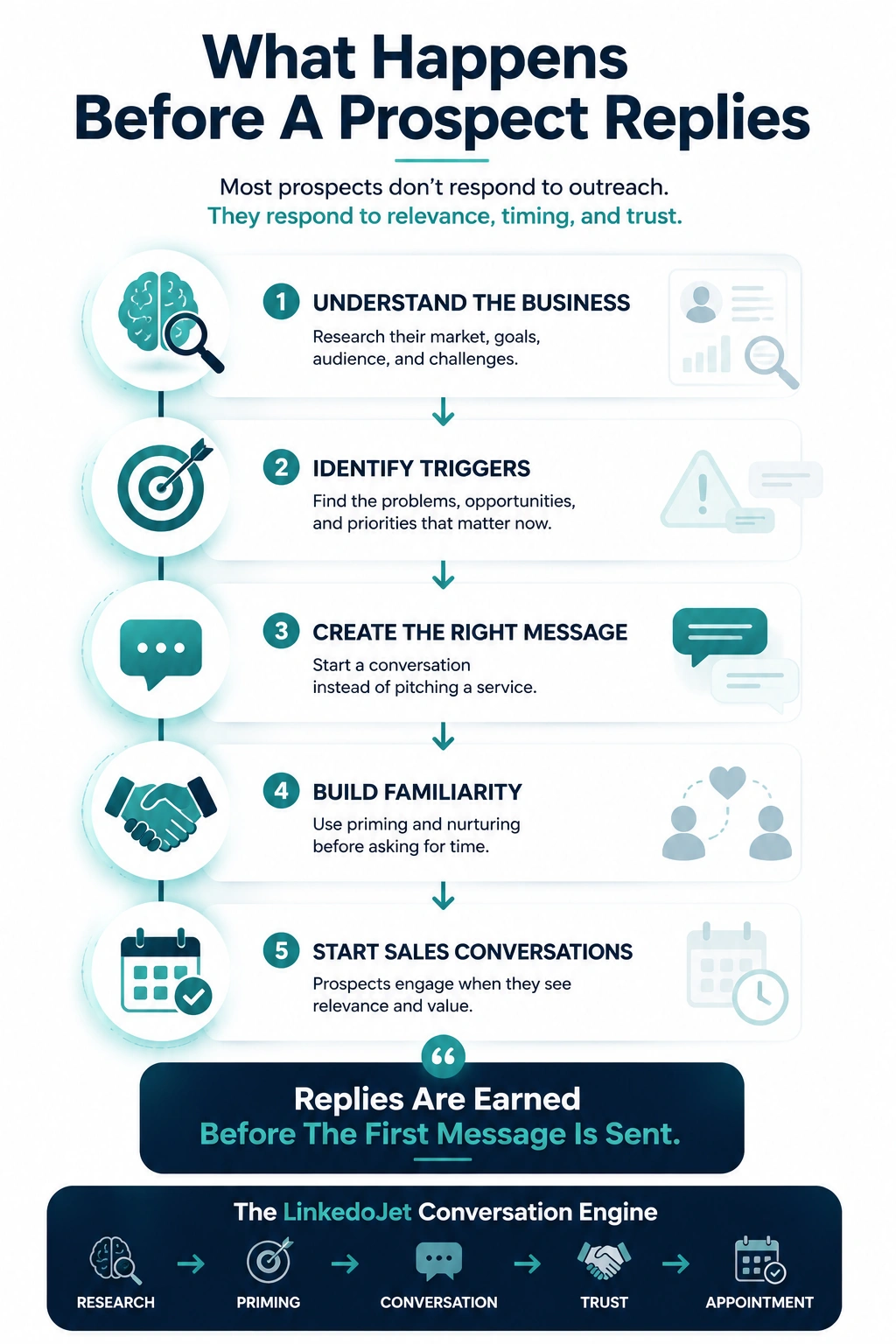
Why plant and engineering leaders ignore your LinkedIn message (and what earns a reply in OT)
They don’t ignore you because they “don’t need help.” They ignore you because most messages feel like a time tax with downside risk.
A Plant Manager doesn’t read your message as marketing. They read it as a potential interruption that could turn into an open-ended problem they’ll be forced to own.
Their week is already full of the same hard constraints: shrinking shutdown windows, backordered parts, aging controls hardware that should be retired but still runs the line, and a controls engineer who’s juggling too many fires. One vague vendor note is easy to delete. One “quick call” that turns into a scope argument is not.
So when your opener sounds like “we do industrial automation” or “we help improve efficiency”, the safest move is silence. If they reply at all, you get the dead-end: “Send info.” Not because they want a brochure. Because it lets them punt without committing to time, scope, or risk.
What earns replies in OT is different. It’s not clever copy. It’s operational literacy plus scope control:
- Operational anchors they actually manage: end-of-support dates, repeat downtime on a known cell, network segmentation constraints, change control, validation documentation, commissioning reality.
- A question they can answer in one line without inviting a sales cycle.
- A tone that sounds like you’ve been on the wrong end of a 2 a.m. call—and you’re trying to prevent avoidable pain, not start a pitch.
The goal of your first messages isn’t to “sell your services.” It’s to earn a short, safe back-and-forth that naturally leads to a scoped, 10–15 minute compare-notes call.
Segment first: how to message Plant/Ops vs Controls/Engineering vs Maintenance
Same account. Different fears, incentives, and language. If you don’t segment, you sound generic—even if your offer is solid.
Industrial deals don’t stall because “no one saw your message.” They stall because you spoke to the wrong reality.
Plant/Ops leadership hears everything through uptime, throughput, and risk. Controls/Engineering hears it through ownership, standards, and commissioning consequences. Maintenance hears it through repeat failures, reactive workload, and troubleshooting time. Procurement hears cost and exposure—but usually isn’t the person feeling the pain.
| Role | What they’re protecting | What gets attention (credible triggers) | What they ignore fast |
|---|---|---|---|
| VP Ops / Plant Manager | Uptime, safety, output, schedule | Chronic downtime on a bottleneck area, end-of-life platform risk before peak demand, shutdown window planning, OEE numbers the floor doesn’t trust | Capability decks, “efficiency” talk, 30-minute asks, anything that smells like scope creep |
| Director of Engineering / Controls Eng Mgr | Standards, code ownership, commissioning success | End-of-support PLC/drive migrations, SCADA no one wants to touch, vendor lock-in, OT/IT handoffs, network segmentation constraints | Sloppy terms (SCADA vs MES vs ERP), fake personalization, vague “digital transformation” language |
| Maintenance Manager | Response time, repeat failures, planned vs reactive | Repeat trips on the same asset, troubleshooting that depends on one person, spare parts constraints, “we can’t take downtime for projects” reality | Big-bang projects, abstract ROI talk, meeting requests without a specific problem thread |
| EHS / Quality (where relevant) | Incidents, compliance, validation | Safety interlocks, change control, documentation gaps, audit pressure, validation requirements | Anything that downplays risk or treats documentation like busywork |
Field note: the same message that works with a Controls Engineering Manager can backfire with a Plant Manager. Engineering may enjoy a tight technical question. Ops may see it as a hidden project request. Your sequence should speak to each person’s “why now” without forcing them into a call.
The credibility-first LinkedIn sequence (connect → question → follow-up → insight → compare-notes call → close-loop)
Short messages. Narrow questions. Proof you understand the plant-floor constraints. Time is earned, not requested upfront.
1) Connection request (permission, not promises)
Plant/Ops variant:
“Hi [Name]—I work with discrete/process plants on controls retrofits and troubleshooting support when downtime gets expensive. Open to connecting? I’ll occasionally share what we’re seeing around obsolescence and shutdown planning.”
Controls/Engineering variant:
“Hi [Name]—I’m on the integration/modernization side (PLC/SCADA/robot controller work). Open to connecting? I share practical notes on end-of-support migrations and commissioning gotchas.”
2) First message after acceptance (one-line, answerable question)
Plant/Ops:
“Quick question—are you seeing more downtime lately from known aging controls hardware (end-of-support PLCs/drives), or is it more ‘mystery’ intermittent faults and troubleshooting time?”
Engineering/Controls:
“Curious—on your current platform, do you have clear ownership of PLC/SCADA source + backups, or is it one of those ‘it runs, don’t touch it’ systems?”
3) Soft follow-up (busy-friendly, self-identification)
“Assuming you’re in the middle of real work—if any of these are on your radar, reply with a letter and I’ll send one relevant note:
A) end-of-support PLC/drive risk
B) repeat downtime on a specific cell/area
C) OEE/data visibility push where the floor doesn’t trust the numbers”
4) The 2 a.m. reality question (emotion without drama)
“When a line goes down at a bad time, what’s usually the bottleneck: parts availability, tribal-knowledge troubleshooting, or vendor lock-in on an older controller?”
5) Insight-based nurture (proof-of-work, small artifact offer)
“One pattern we keep seeing: migrations fail less from ‘wrong hardware’ and more from scope that ignores commissioning reality—IO checkout time, change control, documentation, and OT/IT constraints (segmentation, remote access, patch rules). If useful, I can send a one-page checklist we use to sanity-check scope before a shutdown window.”
6) Soft meeting ask (compare notes, narrow agenda, easy out)
“If any of this is relevant, open to a quick 10–15 min compare-notes call? Goal would be to sanity-check whether it’s a small retrofit, a phased migration, or a ‘not worth touching until X’ situation. If timing’s bad, no worries—happy to keep it async.”
7) Close-loop (professional, preserves future timing)
“I’ll get out of your inbox after this. If an end-of-support date or a shutdown window pops up and you want a second set of eyes on scope/risk, I’m easy to reach here.”
Timing and daily habits: when plant-floor and engineering buyers actually read LinkedIn
Your sequence can be solid and still fail if it lands when they’re in schedule churn or actively firefighting.
Plant and maintenance leadership don’t “browse.” They check in short gaps: early morning before the day gets loud, between meetings, or after hours when they finally have headspace. Controls leaders often scan mid-to-late afternoon, or during a lull between design reviews and production issues.
- Monday: usually chaos. Good for connection requests; weak for anything that needs thought.
- Tuesday–Thursday: best window for a one-line question that invites a real reply.
- Friday: surprisingly decent for a low-friction “quick question” note. Keep it short.
Length matters more than you want it to. For this audience, if they have to scroll, you’ve already lost. Two to four lines is the sweet spot. You’re not writing a brief—you’re opening a thread.
Cadence that tends to work for long-cycle industrial work:
- Day 0: connection request
- Day 1–2: one-line question
- Day 4–6: “reply with A/B/C” follow-up
- Day 10–14: short insight + optional artifact
- Day 18–25: compare-notes ask (only if there’s engagement)
- Day 30–45: close-loop or seasonal check-in (shutdown window / end-of-support timeline)
What to do with common replies (so you don’t end up in “send info” limbo)
Industrial buyers use short replies to control exposure. Your job is to keep it safe while guiding toward a real diagnostic thread.
“Send info”
Response (two clarifiers + short, relevant summary):
“Happy to. Quick so I don’t spam you—what’s closer to your world right now: (1) end-of-support / obsolescence, (2) repeat downtime on a specific area, or (3) a data/OEE visibility push?
And is this more of a controls ownership issue (code/backups/standards) or a maintenance/reactive issue (troubleshooting time)?
If you reply with 1/2/3, I’ll send a 3-sentence note on what typically drives scope + risk on that path (no deck).”
“We already have an integrator”
“Makes sense—most plants do. Where we tend to fit is overflow capacity during shutdown windows, specialty retrofits/migrations that need extra attention, or a second-opinion on risky scope before you commit. Is your current integrator fully covered on bandwidth for the next window, or are you tight?”
“No budget”
“Understood. When budget is tight, the usual win is planning so you’re not forced into a bad decision during a failure. If you tell me the platform (even just ‘older Rockwell/Siemens/robot controller’) and whether there’s an end-of-support date, I can send a simple phased roadmap format plants use to spread risk across quarters.”
“Talk to procurement”
“I can, but procurement usually gets pulled in after the scope is already shaped. Who owns uptime for the asset/area that would actually feel this pain—Plant/Ops, Controls, or Maintenance? If you point me to the right owner, I’ll keep it to one quick question and stay out of your way.”
“Send a quote”
“I can’t quote responsibly without a few scope guardrails—this is exactly where projects get risky. Two quick questions: what’s the driver (obsolescence, downtime, or standardization) and what’s the constraint (shutdown hours, network/IT rules, or validation/change control)? If you reply with those two, I’ll tell you whether this is ‘small retrofit,’ ‘phased migration,’ or ‘needs a site walk’—then we can decide if a quote even makes sense.”
Mistakes that kill trust in industrial outreach (and why they’re so hard to recover from)
You don’t get many shots with plant-floor leaders. Once you sound like a time-waster, you’re categorized.
- SaaS language in an OT world: talking like a software vendor when they’re thinking about downtime minutes, safety interlocks, commissioning, and change control.
- Sloppy terminology: mixing up SCADA, MES, and ERP; pretending “networking” is easy; acting like segmentation constraints are optional. Technical buyers can smell it immediately.
- Capability dumps: listing platforms, services, and brand names instead of anchoring to a specific plant reality (end-of-support, chronic downtime, shutdown window).
- Risky meeting asks: asking for 30 minutes before you’ve proven you understand scope and constraints. To them, that’s how unbounded projects begin.
- Fake personalization: restating their title or company and calling it relevance. It reads like copy-paste with extra steps.
- Talking to the wrong stakeholder: sending engineering language to Ops, or Ops language to a controls lead who wants to know about code ownership and standards.
If your outreach doesn’t make scope feel controlled, you’ll keep getting “send info,” “we already have someone,” or silence—until something breaks. And then you’re bidding late, under pressure, with no time to shape risk, schedule, or margin.
How LinkedoJet runs this daily: targeting, AI-assisted personalization, nurturing, tracking, and appointment support
This isn’t “automation.” It’s a managed outbound engine built around credibility-first sequences that fit industrial buying behavior.
Most teams don’t fail on effort. They fail on consistency and precision. Someone sends a burst of messages, gets a few “send info” replies, and then outreach dies for a month because the plant-floor audience didn’t convert like a normal outbound list.
LinkedoJet fixes that by owning the operational workload end-to-end:
- ICP and targeting setup: we define role-based segments (Plant/Ops, Controls/Engineering, Maintenance, EHS/Quality where relevant, OEM engineering leads, procurement influencers) and build the targeting rules around plant types (discrete vs process), likely platforms, and common triggers (end-of-support, downtime patterns, shutdown windows, OT/IT constraints).
- Sales Navigator + LinkedIn prospect list building: we produce clean lists by role and site/account so you’re not spraying the same message at the wrong stakeholder.
- AI-assisted personalization (done with restraint): we personalize around believable context (role + plant reality + trigger), not fake flattery. The AI helps draft; the system enforces short, skimmable notes and keeps terminology tight.
- Outreach execution: connection requests, follow-ups, and nurture messages go out on a consistent cadence that respects plant schedules.
- Lead reply handling + nurturing: we route common replies into guided scripts that narrow scope (especially “send info”), keep the buyer in control, and move toward a diagnostic thread.
- Warm lead tracking: engaged contacts are tracked by segment, trigger, and next action (e.g., “end-of-support Q4,” “shutdown window July,” “repeat downtime area X”).
- Appointment generation support: when a conversation is ready, we help convert it into a short compare-notes call with a narrow agenda so it doesn’t feel like a trap.
- Campaign visibility: dashboards show sends, replies, warm leads, and booked conversations—so you can see what’s working and where deals are forming.
- Ongoing refinement: we adjust by role, industry, offer type (retrofits/modernization, robotics integration, SCADA/MES, machine vision, panel building), and what the market is responding to.
The output isn’t “more activity.” It’s more credible conversations with the people who actually influence scope and approval—before the failure forces a rushed decision.
FAQ
What’s a good first LinkedIn message to a Plant Manager about downtime without sounding like a vendor pitch?
Ask a one-line question that lets them answer without opening scope. Example: “Quick question—are you seeing downtime lately from known aging controls hardware (end-of-support PLCs/drives), or is it more intermittent faults and troubleshooting time?” It reads like you understand the reality, not like you’re asking for a meeting.
How should LinkedIn messaging differ for Controls/Engineering vs Maintenance vs Ops leadership in the same plant?
Ops cares about uptime, safety, and schedule risk. Controls/Engineering cares about code ownership, standards, and commissioning consequences. Maintenance cares about repeat failures, reactive workload, and troubleshooting time. Same plant, different triggers—and different language. If you don’t segment, your message sounds generic even if your offer is strong.
What do you say when a prospect replies “Send information” in industrial automation sales?
Don’t send a deck. Reply with two clarifying questions and a short, tailored summary. Ask which driver is closer (obsolescence, repeat downtime, data/OEE push) and whether it’s more controls ownership or maintenance/reactive. Then send a 3-sentence note that points to scope and risk. The goal is to re-enter a diagnostic thread, not become a brochure vendor.
How long should a LinkedIn messaging sequence run before you stop or pause outreach?
For industrial, 30–45 days is typical because timing is often tied to shutdown windows, end-of-support dates, and production priorities. If there’s zero engagement after a clear close-loop message, pause. If they give a direct “not a fit,” stop. If you’re only talking to procurement with no operational sponsor, pause and re-route to the owner of uptime for the asset/area.
How do you position against “We already have an integrator” without arguing or discounting?
Agree and reposition as overflow capacity, specialty work, or a second opinion for high-risk scope. Example: “Makes sense—most plants do. We tend to fit when your integrator is tight on bandwidth for a shutdown window, or when you want a second set of eyes on a migration scope before you commit.” Then ask one question about upcoming windows or end-of-support risk.
See what this looks like when it’s run as a daily system (not random outreach)
If you sell retrofits, migrations, robotics, SCADA/MES, or integration services, we’ll show you the exact sequence + targeting setup that turns “send info” into scoped conversations.
On this session, we don’t do a vague “strategy chat.” We walk through how your outbound engine would run in practice for plant-floor and engineering buyers.
What LinkedoJet operationally provides: we build your ICP and role-based segments, set up Sales Navigator targeting, and produce prospect lists by plant/account and stakeholder (Ops, Controls, Maintenance, Engineering, and influencers). Then we run the outreach execution—connection requests, follow-ups, and nurture—using AI-assisted personalization that stays believable and OT-literate.
What happens after onboarding: you get a working campaign with sequences tailored to your offer (retrofit/modernization, migrations, robotics integration, SCADA/MES, vision, panel work) and your target roles. LinkedoJet handles daily sends, monitors replies, and runs lead nurturing so warm conversations don’t die in someone’s inbox.
How targeting and list building works: we don’t “spray the plant.” We build lists by function and likely trigger (end-of-support risk, downtime patterns, shutdown windows, OT/IT constraints). Same account, different messages—because the approval logic is different.
How AI-assisted personalization is used: AI helps draft short notes that reference real constraints (commissioning windows, change control, documentation, segmentation). Guardrails keep it from sounding like fake personalization or generic vendor talk.
How follow-up and nurturing operates: replies like “send info” are routed into a guided diagnostic path: two clarifying questions, a tight segment-specific response, then a soft compare-notes ask only when engagement is real.
How warm leads and appointments are tracked: every engaged contact is tracked by trigger, stakeholder, and next step (e.g., “shutdown in July,” “end-of-support Q4,” “repeat downtime on area”). You get visibility through dashboards—what was sent, what replied, what’s warming up, what booked.
Why LinkedoJet is different from ordinary LinkedIn automation tools: tools send messages. LinkedoJet runs the whole outbound workflow—targeting, sequences, reply handling, nurturing, tracking, and appointment support—so the system keeps producing even when your team is heads-down delivering projects.
Next step: install a credibility-first sequence that earns scoped discovery calls
You’ll leave with a role-segmented outreach system built for long-cycle OT work—plus the operational support to keep it running every day.
From identifying the right decision-makers to starting meaningful conversations and turning them into qualified appointments... LinkedoJet manages the entire outbound engine for your business.