
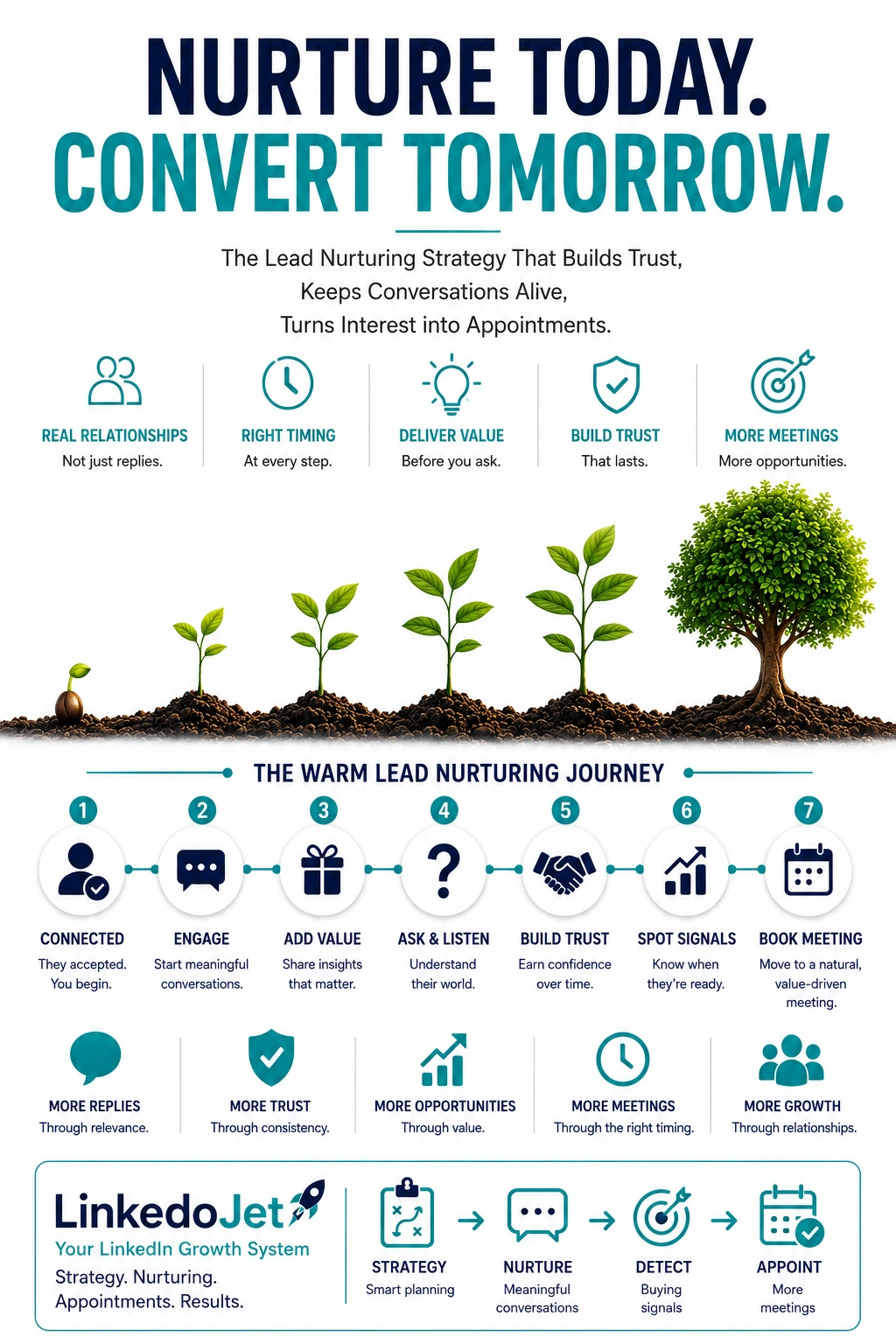
Why warm LinkedIn interest dies in MSP sales cycles (and the cost of a leaky middle)
Connection accepts and polite replies feel like momentum—until they don’t. In MSP sales, the middle is where pipeline quietly bleeds out.
You already know the pattern. An IT Director accepts your request. A COO views your profile after a post about Microsoft changes. A CFO likes something about cyber insurance questionnaires. You get a little thread going… and then nothing.
It’s not because you’re bad at outreach. It’s because MSP deals rarely close in a week, and your buyer is protecting themselves.
Switching providers is risk. Documentation gaps, tool sprawl, the fear of downtime, internal politics between IT and finance, and the memory of that “simple migration” that turned into a month of chaos. So when you follow up like every other MSP—too soon, too generic, too often—you don’t just get ignored. You get categorized.
And once you’re categorized as “another MSP pushing a call,” your next five messages won’t matter, even if they’re smarter.
The commercial cost isn’t just a few lost meetings. It’s the leaky middle that makes your pipeline look active while your forecast stays fragile:
- Your team works the wrong leads because “warm” isn’t tagged by intent or timing.
- Real buyers go quiet because you asked for a call before understanding their environment.
- Renewal windows sneak up and you’re not the second opinion they trust when the pressure hits.
- Utilization whiplash gets worse because you can’t predict when “maybes” turn into “we need help.”
Warm lead nurturing in IT services is less about persuasion and more about becoming the safe option: competent, calm, and already carrying context when the trigger arrives.
Warm signals that matter in IT services: what connection accepts, profile views, and security engagement really mean
Most teams treat every signal like it means “book a meeting.” In MSP land, signals are often “I’m watching” or “I’m gathering options.”
A connection accept isn’t a green light. It’s permission to start a low-friction thread that can survive a busy quarter.
A profile view from an IT leader often means: “Are these people credible enough to keep in my back pocket?” A profile view from a CFO often means: “If this blows up later, do I want to know who to call?” Different intent. Different follow-up.
Here’s a cleaner way to read the signals you’re already seeing on LinkedIn:
| Signal | What it usually means in MSP/IT services | Best next move |
|---|---|---|
| Connection accepted (no reply) | Open to network; not opting into a pitch | Ask one role-aware question that’s easy to answer |
| Reply with vague timing (“later this year”) | There’s a renewal/project driver, but they’re not ready to expose it | Clarify the driver (renewal vs project vs pain) and park the thread with a useful note |
| Likes/comments on security posture, backups, MFA | Risk is on their mind; could be insurance/compliance pressure | Ask a practical environment question (controls, restore testing, identity stack) |
| Engagement on M365/Azure licensing changes | Budget + disruption anxiety; often CFO/COO influenced | Translate impact into operational terms (support load, change control, downtime risk) |
| Asks about onboarding, documentation, transition plan | They’ve been burned before or they’re actively evaluating | Move toward a scoped call with a clear agenda |
| “Happy with current MSP” | They’re not shopping; they’re reducing perceived switching risk | Respect it, offer second-opinion positioning, and set a time-triggered check-in |
The mistake is treating signals like a funnel step. The better move is treating them like context you’ll need later—then proving you can hold that context without becoming noise.
Lead temperature for MSP deals: Curious → Problem-aware → Evaluating → Triggered (and what to do at each stage)
“Warm” isn’t a stage. It’s a spectrum—and your follow-up should change based on where they actually are.
If you don’t track temperature, you’ll do the classic MSP thing: push a discovery call on someone who hasn’t named a problem yet. That’s how you lose good leads before they’re ready.
Use four temperatures that match how IT services buying really works:
- Curious: engaged with content, accepted connection, maybe viewed your profile. No problem named.
- Problem-aware: mentions ticket load, outages, tooling frustration, vendor gaps, “we’re stretched.”
- Evaluating: asks about onboarding, stack, pricing model, SLAs, co-managed options, after-hours coverage.
- Triggered/urgent: incident, failed questionnaire, renewal escalation, leadership mandate, audit pressure.
What to do at each temperature:
- Curious → earn relevance without pitching. Ask one environment question (M365 posture, endpoint tooling, backups, identity) and share a practical observation. Your goal is to create a thread that feels useful, not salesy.
- Problem-aware → diagnose lightly and reduce risk. Mirror their language, ask a clarifier, and offer a small next step (checklist, sanity-check, “what we typically see” note). Avoid dumping links. Avoid quoting.
- Evaluating → move to a scoped call. Don’t “sell.” Set an agenda: 6–8 scoping questions, transition risk, what good looks like, and whether they should even switch.
- Triggered → be decisive and calm. They need speed and competence. Book time quickly, confirm constraints (access, timeline, stakeholders), and propose the immediate next action (assessment, incident support, short scoping workshop).
Cadence that matches reality: tight when active, lighter when quiet, event-driven around renewals and triggers
You’re not building a sequence. You’re managing timing, attention, and risk.
When there’s active back-and-forth, follow up quickly. When it goes quiet, stop behaving like a drip campaign. Nobody switches an MSP because you “checked in” three times.
A cadence that works for MSP/IT services usually looks like this:
- Active thread (they replied in the last 7 days): 1–2 thoughtful touches per week, each carrying forward the last meaningful exchange.
- Quiet but warm (no reply, but recent engagement/profile view): one message every 2–4 weeks, tied to something real (their role, a trigger, a relevant operational question).
- Cold (no engagement for 60–90 days): a clean close-loop, then event-driven check-ins only.
Event-driven matters because IT services urgency is spiky. A prospect can ignore you for months and then suddenly need a second opinion because:
- a renewal notice period is approaching
- cyber insurance forms land on their desk
- a Microsoft licensing change breaks budgets
- an outage or security incident exposes gaps
- a merger/relocation forces IT decisions
- an IT leader leaves and Ops/Finance inherits the mess
What “too much” looks like in this niche:
- repeated “just checking in” pings with no new context
- recycled value props (“fast response, great service”) instead of operational specifics
- security fear language when they’re actually drowning in ticket noise
- technical jargon that doesn’t match the person you’re talking to (CFO vs IT Manager)
The best cadence feels like someone competent keeping a thread alive—not someone trying to force a meeting.
Message examples MSP operators can actually send (10 templates from first follow-up to close-loop)
Short. Context-led. Easy to reply to. Built around low-friction next steps.
First warm follow-up after connection acceptance (no pitch, role-aware):
“Thanks for connecting, [Name]. Quick one—are you mostly focused on keeping the day-to-day stable (tickets/on-call), or are you in more of a project cycle right now (M365 changes, security, network refresh)? Only asking because the follow-ups I share are different depending on what’s on your plate.”Follow-up after a prospect replies (mirror their language, add one clarifier):
If they say “we’re reviewing providers later this year”:
“Makes sense. When you say later this year, is that tied to a contract renewal, or more about a project deadline? If you tell me the driver, I can share a couple of things to watch for so the switch (if you even do one) isn’t painful.”Educational nurturing (operational insight, no link dump):
“One pattern we keep seeing in 50–300 seat environments: backups look ‘configured’ but restores aren’t actually tested against the current M365/endpoint setup. When’s the last time your team ran a real restore test end-to-end? Not trying to be alarmist—just one of those quiet risks that bites at the worst time.”Insight-based follow-up (based on their engagement):
“Saw you liked the post about MFA fatigue and conditional access. Are you running mostly Microsoft-native controls, or do you have a separate identity/security stack layered on? The reason I ask: the fix is totally different depending on whether you’re standardizing or managing tool sprawl.”Proof-based nurturing (specific, low-hype, shows process):
“For context, we recently onboarded a ~120-user professional services firm that was getting hammered by recurring ‘same issue’ tickets. The win wasn’t a magic tool—it was cleaning up documentation, standardizing endpoints, and setting a 30/60/90-day transition plan with clear ‘what changes when.’ If you’re ever comparing options, that transition plan is the part I’d pressure-test with any MSP.”Soft question to reopen (easy reply):
“Quick check—are you more concerned right now about security/compliance pressure, or just getting IT calmer and more predictable? Either answer is helpful and I’ll point you to the most relevant starting point.”Buying-signal response (they ask about switching/onboarding/pain):
“That’s a real question. Before we talk numbers, the make-or-break is usually scope and transition risk. If you’re open to it, I can ask 6–8 quick scoping questions (current stack, seat count, locations, backups, after-hours expectations) and tell you whether this is even a good fit—or if staying put and tightening a few things is smarter.”Soft meeting request (clear agenda, positioned as scoping):
“Would it be unreasonable to do a 15-minute scoping call next week? No deck. Just to understand your environment and what ‘better’ would mean for you, and I’ll tell you what we’d look at first (or if we’re not the right kind of provider).”Dormant lead revival (time-triggered, IT services relevant):
“Circling back because renewal season tends to sneak up. If your MSP contract has a notice period, it’s usually the ‘oh no’ moment. Do you know when your renewal / termination window hits? If you share the month, I can send a simple checklist of what to gather so you’re not scrambling.”Final polite close-loop (protect brand, leave door open):
“I don’t want to keep tapping you on the shoulder. I’ll pause for now. If you ever hit a trigger—renewal pressure, repeated escalations, security questionnaire headaches—happy to be a second opinion on scope and transition risk. Want me to close the loop, or should I check back closer to [month/quarter]?”
Why warm leads go silent in IT services—and how to prevent it with role-aware, context-carrying follow-up
Silence is usually a signal: your last message didn’t reduce risk or increase clarity.
Warm leads go quiet for boring reasons. They’re firefighting. They’re in back-to-back internal meetings. They got pulled into a security questionnaire. Or the CEO just asked for a budget cut.
But they also go quiet when your follow-up creates friction:
- You asked for a meeting before understanding their environment. To them, that sounds like quoting without scoping.
- You sounded like an MSP brochure. “Great service” doesn’t help them survive next week. “Here’s how we run a 30/60/90 transition” does.
- You ignored switching risk. If you don’t acknowledge downtime fear and documentation gaps, you look naïve.
- You missed the role. IT cares about restore testing, endpoint standardization, identity posture, ticket noise. Ops cares about fewer escalations and predictable outcomes. CFO cares about cost clarity, contract terms, and avoiding surprise incidents.
- You stayed on one theme too long. If they’re drowning in ticket volume and you keep talking security, you’re not hearing them (even if security is “important”).
- You kept pinging without a reason. “Checking in” feels like you’re managing your CRM, not their reality.
The fix is simple, but it takes discipline: every follow-up should carry context forward.
That means your message explains why now (trigger, timing, their engagement), respects who they are (IT vs Ops vs CFO), and offers a low-friction next step (answer a question, sanity-check scope, checklist) before asking for formal discovery.
Do that consistently and you stop chasing. You start getting pulled in when readiness appears.
How LinkedoJet runs this as a system: targeting, tagging intent, tracking exchanges, and booking qualified scoping calls
You don’t need more messages. You need a system that knows who you’re talking to, what stage they’re in, and what to do next.
LinkedoJet is built for teams who want LinkedIn to produce real meetings without turning their brand into noise. It’s not a browser bot that sprays sequences. It’s an outbound engine with operating discipline.
What LinkedoJet sets up and manages for MSPs and IT services firms:
- ICP and targeting setup: define the right buyer mix (CEO/COO/CFO/IT Director/Ops) and segment by service line (managed services vs co-managed vs projects like M365/Azure, cybersecurity add-ons).
- Sales Navigator prospect list building: we build and maintain lists you can trust—by industry, headcount, geo, tech signals where available, and role seniority.
- AI-assisted personalization: not “Hi {firstName}”. We use AI to draft role-aware openers and follow-ups that reflect their reality (tickets vs projects, compliance vs cost control), then apply guardrails so it stays human and specific.
- LinkedIn outreach execution: connection + first follow-up + ongoing nurturing, with pacing that won’t get you mentally blacklisted.
- Lead reply handling and nurturing: replies are categorized (Curious/Problem-aware/Evaluating/Triggered), and the next message is chosen based on intent, role, and last meaningful exchange—not a fixed day-count sequence.
- Warm lead tracking: we track temperature, timing triggers (renewals, compliance season, Microsoft changes), and keep threads alive without “checking in.”
- Appointment generation support: when readiness shows up, we move decisively into a scoped call with a clear agenda and qualification.
- Campaign visibility through dashboards: you see what’s happening—who engaged, what stage they’re in, what’s booked, what’s stalled, and why.
- Ongoing campaign refinement: we iterate targeting, messaging angles, and follow-up patterns based on real replies, not guesses.
The result is a pipeline that behaves more like a relationship system than a spam machine: you stay present, you carry context, and when triggers hit, you’re already the safe option.
FAQ
What’s a good LinkedIn follow-up cadence for MSP and IT services sales cycles?
Match cadence to intent and activity. If they’re replying, keep it tight (1–2 thoughtful touches per week) and always reference the last meaningful exchange. If they’re quiet but still engaging (views/likes), go lighter (every 2–4 weeks) and tie the message to a role-relevant question or a real timing trigger like renewals, cyber insurance season, or a Microsoft change. If there’s no engagement for 60–90 days, close the loop and switch to event-driven check-ins only.
How do I move a LinkedIn conversation to a discovery/scoping call without sounding pushy?
Make the call about scope and risk, not “getting on a call.” Say what you’ll do in 15 minutes (ask 6–8 scoping questions, confirm constraints, identify transition risks) and give them an out (“I’ll tell you if staying put and tightening a few things is smarter”). MSP buyers relax when they feel you’re not trying to quote blind.
What should I say when a prospect says “we’re happy with our current MSP” on LinkedIn?
Agree and de-escalate. They’re often protecting switching risk and internal optics. You can respond with: “That’s a good place to be. If you ever want a second opinion on scope or transition risk—especially around renewals or security questionnaires—I’m happy to be a quiet backup.” Then ask one low-friction question like renewal month or what’s most painful (ticket noise vs compliance).
How do I revive a dead LinkedIn conversation with an IT Director, Ops leader, or CFO?
Don’t resurrect it with a generic “checking in.” Give them a reason that respects their world. For IT: restore testing, identity posture, endpoint standardization, recurring escalations. For Ops: disruption, predictability, fewer fire drills. For CFO: renewal windows, contract terms, cost surprises, downtime exposure. A simple time-triggered message (“do you know your renewal/notice month?”) is often the cleanest restart.
What are the strongest buying signals in LinkedIn chats for managed services vs co-managed IT vs projects?
Managed services: questions about transition plan, documentation, after-hours, recurring escalations, “we’re not getting proactive guidance,” QBRs/vCIO cadence. Co-managed: talk of overwhelmed internal IT, tool sprawl, needing coverage without losing control, “we need someone to take the noise.” Projects: timeline + risk questions (M365 migration, Azure, network refresh), leadership mandates, licensing/budget pressure, compliance deadlines. Across all three, onboarding and access questions are a strong sign they’re moving from curiosity into evaluation.
See how LinkedoJet turns warm LinkedIn interest into booked scoping calls—without spamming
This isn’t a generic “strategy chat.” It’s a working session to confirm fit, show you the operating system, and map your first outbound motion end-to-end.
What LinkedoJet operationally provides: we build your targeting system, create and maintain Sales Navigator prospect lists, run AI-assisted personalization with human guardrails, execute LinkedIn outreach, handle replies, and run warm lead nurturing so early interest doesn’t die in the middle.
What happens after onboarding: we ship your ICP + segmentation (managed services vs co-managed vs projects), stand up your prospect lists, deploy role-aware message threads (IT vs Ops vs CFO), and start conversations. Every lead is tagged by intent (Curious/Problem-aware/Evaluating/Triggered) and tracked by the last meaningful exchange so follow-up always has context.
What you receive: a live campaign, visibility through dashboards (engagement, temperature, booked calls, stalled threads), and ongoing refinement based on real replies. You’ll also have a clear scoping-call path so when a trigger hits—renewal pressure, compliance season, incident fallout—you can move fast without sounding pushy.
How targeting and prospect list building work: we don’t scrape random titles. We build decision-maker lists by role, seniority, industry, headcount, and service-line fit, then keep them clean as campaigns run.
How AI-assisted personalization is used: AI helps draft first lines and follow-ups that reflect the prospect’s likely reality (ticket noise, M365 changes, cyber insurance headaches), while our process keeps messages short, specific, and consistent with your voice.
How lead nurturing and follow-up workflows operate: active threads get tight follow-up; quiet threads get lighter, event-driven touches tied to renewals, Microsoft changes, and compliance triggers. No “just checking in” drip.
How warm leads and appointments are tracked: we track temperature, role, timing triggers, and appointment readiness so you know which conversations are close to a scoped call and which should be parked.
Why this is different from ordinary LinkedIn automation tools: tools send sequences. LinkedoJet runs the system—targeting, messaging, reply handling, nurturing, tracking, and appointment support—so your brand stays credible while meetings get booked.
Next step: turn your warm LinkedIn replies into a predictable scoping-call flow
If you’re already getting accepts, views, and the occasional reply, you’re closer than you think. The missing piece is the follow-up system that carries context, tracks intent, and moves the right leads into scoped calls at the right moment.
From identifying the right decision-makers to starting meaningful conversations and turning them into qualified appointments... LinkedoJet manages the entire outbound engine for your business.