
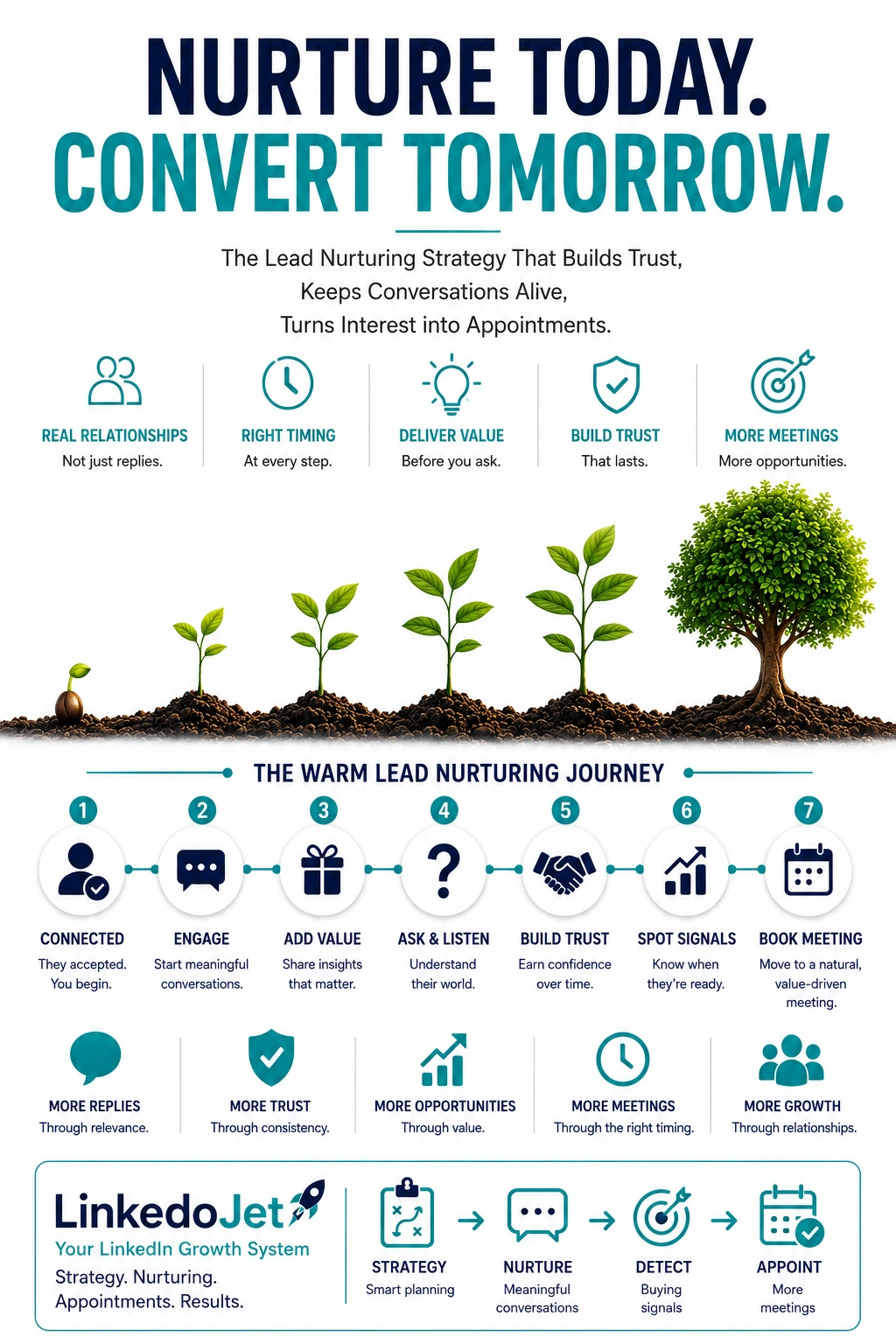
Warm means “in motion,” not “ready to buy”
In luxury materials, a warm LinkedIn lead is rarely a deal. It’s a quiet opening to stay useful until the selection window actually appears.
You’ve seen it: an interiors lead likes a finishes palette post, a project architect views your profile after you comment on a façade detail, a developer replies once with “Thanks—looks good,” a dealer principal accepts the connection, a specifier asks “do you have this in honed?”
That’s not a close. It’s the moment you’re allowed into the consideration set.
And then most brands disappear. Not because they don’t care—because the follow-up lives in someone’s head, the context isn’t captured, and the next touch feels awkward. Weeks later the project reappears as a submittal with a competitor’s name on it. No clean “no.” Just a quiet loss.
The painful part is you were early. You were relevant. The product was genuinely right. But when schedules tightened and risk showed up (lead times, install constraints, documentation, approvals), the spec team defaulted to the brand that felt safest and most responsive.
Warm lead examples that matter in this channel:
- Engagement on a specific application (hospitality lobby floors, high-traffic hardware, exterior cladding details)—not generic brand likes.
- Asset-adjacent questions (“Revit?”, “fire rating?”, “slip rating?”, “maintenance?”, “warranty language?”).
- Workflow hints (“client presentation next week,” “VE conversations starting,” “submittal due,” “mockups pending”).
- Routing signals (“who covers our region?”, “which showroom?”, “can your dealer support install?”).
If you can’t recognize these signals and hold them in a system, your pipeline will look busy while your spec influence stays unbankable.
Signal tagging → next-best follow-up (so threads don’t die)
The win isn’t “more touches.” The win is the right touch, tied to what they just told you—explicitly or implicitly.
Most teams run LinkedIn like email: connect, say hi, send a brochure, then “checking in.” That cadence ignores how specification actually works. Designers don’t want pursuit. They want support that reduces risk and makes them look prepared.
The fix is simple, but it has to be operational: tag the signal, store the context, and route a next step that matches project reality.
| Warm signal on LinkedIn | What it usually means in spec sales | Next-best follow-up (premium-safe) | What to avoid |
|---|---|---|---|
| Connection accepted | You’re allowed to be present | One useful artifact: finish card PDF, spec library link, or performance one-pager | “Do you have 15 minutes this week?” |
| Profile view after you comment | They’re checking credibility and fit | Short note tied to their work + one relevant asset (CAD/Revit, ratings, install note) | Brand story dump |
| Likes a finishes / palette post | Early exploration; mood board phase | Ask one soft context question + offer a small pack (2–3 best sellers for that application) | Sending 12 SKUs and a catalog |
| “Thanks” reply / light question | They’ll engage if it stays easy | One tight qualifying question + offer spec language + Revit/CAD set | Multi-question interrogation |
| Asks “honed?”, “slip?”, “fire?”, “lead time?” | They’re pressure-testing feasibility | Direct answer + confirm application + propose a 12-minute spec check | “Let’s schedule a demo” language |
| Goes quiet after one reply | They got pulled into project work or client presentations | Send a “prevent problems” note (pitfall + how to avoid) tied to their use case | Fixed cadence nudges |
The key detail: every follow-up should earn its right to exist. If it doesn’t reduce their workload or risk, it reads as sales pressure—especially for premium brands.
Pacing that matches project flow (weeks and months, not days)
Specification cycles are lumpy. Your nurturing should feel like calm project support, not pursuit.
A&D teams don’t run on your CRM reminders. They run on deadlines, client indecision, VE rounds, submittal gates, and whatever fires showed up on site that day. When you “circle back” on a fixed schedule, you’re basically announcing you don’t understand their world.
A pacing model that protects premium perception:
- Day 0–2 after the signal: a quick, tasteful follow-up tied to the trigger. One asset. No pressure.
- Day 7–14: a practical note that prevents a common failure (finish reading under warm lighting, slip rating realities, batch consistency, façade constraints, maintenance surprises).
- Week 3–5: a “submittal readiness” style nudge if you saw intent (ratings request, CAD/Revit, samples). If not, stay in education mode.
- Month 2+: spaced touches only when you have something real: updated lead times, a new finish relevant to their application, an install note, an alternate that survives VE without looking cheap.
What to avoid, even if your team is hungry:
- “Just checking in” messages that add no new value.
- Fast repeated pings when they’re in client presentation mode.
- Trying to pull them into a call before you’ve shown you can make their job easier.
In luxury materials, the brands that win don’t feel louder. They feel steadier. That steadiness is a nurturing discipline.
Lead temperature tiers that reflect spec reality
“Warm” isn’t one bucket. The next touch should change based on where they are in the chain: inspiration → spec → project → procurement.
| Tier | What you’re seeing on LinkedIn | What to send next | What you should not do |
|---|---|---|---|
| Curious | Likes, follows, brief comments, connection acceptance | Finish card PDF, small curated “top 3 for hospitality/resi” pack, spec library link | Push samples or meetings without a use case |
| Spec-aware | Asks for CAD/Revit, ratings, alternates, maintenance, warranty language | Revit/CAD pack + spec language + one-page performance summary for that application | Send generic brochures; ask five questions at once |
| Project-active | Mentions a project type, timeline, client presentation, VE pressure, consultant constraints | “What to watch for” note + sample coordination plan + submittal readiness checklist | Act like the goal is a sales call; ignore timing |
| Procurement-adjacent | Asks about lead time, stock, region coverage, dealer routing, install support, pricing bands | Clear lead-time reality + regional dealer/showroom path + quick spec check to prevent review issues | Vague answers; letting them hunt for distribution |
This is where most brands quietly lose margin and mindshare: procurement shows up and the only thing you can offer is “we can quote it.” The safer brand has already made distribution, documentation, and install success feel obvious.
10 message drafts that sound like a premium manufacturer rep
Short, specific, and rooted in real spec artifacts—so you stay helpful without sounding pushy.
-
After connection acceptance (reference trigger + offer one useful item)
“Thanks for connecting. I noticed you’ve been sharing a lot of hospitality work lately—beautiful restraint in the palettes. If it’s useful, I can send a tight finish-card PDF for our most specified tones (plus a link to the spec library). No rush—just easier to have on hand when finish schedules start tightening.”
-
After a light reply (“thanks” / small question) (one tight question + next step)
“Appreciate it. Quick question so I don’t send noise—are you looking at this more for residential interiors, or a higher-traffic application like hospitality/public areas? If you want, I’ll send the spec language + the Revit family set we typically see used for that use case.”
-
Educational nurture (a small lesson that prevents problems)
“One small thing we’ve seen trip teams up: the same ‘warm neutral’ finish can read completely different under 2700K vs 3000K lighting, especially next to brass/bronze hardware. If you’re testing palettes, I can share a one-page note on how we recommend viewing samples so you don’t get surprises at mockup.”
-
Insight-based follow-up (market observation + soft question)
“We’re seeing more VE pressure land late—teams get attached to a finish, then procurement asks for alternates that don’t match the sheen/texture. Are you seeing more VE conversations on your current pipeline, or are clients still holding the line on finishes?”
-
Proof-based nurture (credible story + offer the exact artifact)
“Quick story that might be relevant: we supported a boutique hotel lobby where the GC was nervous about durability and replacement pieces post-opening. We turned samples around fast, provided the exact maintenance notes for housekeeping, and the submittal passed without a second round. If helpful, I can send the spec notes + the finish schedule excerpt format we used.”
-
Soft reopen (low-friction prompt tied to their workflow)
“Worth sending the Revit pack and spec language, or would that be noise right now? Totally fine either way—I’m happy to stay in ‘background support’ mode until you’re closer to locking finish schedules.”
-
Buying-signal response (lead time/stock/ratings/samples) (fast, concrete, risk-reduction)
“Yes—on lead time: for that finish we’re currently seeing X weeks ex-works on standard sizes, and we can confirm availability by region once I know where the project is. Is this interior wall, floor, or exterior exposure? If you’re trying to lock this for a submission, I can do a quick 12-minute spec check to make sure nothing trips you up at review (ratings, install constraints, and what we can realistically ship).”
-
Soft meeting request (make it about their deadline, with an agenda)
“If you’re within a couple weeks of presenting finishes, we can do a quick ‘finish alignment’ working session: confirm the right SKU/finish, check ratings, and make sure the sample set matches what will be delivered. I’m open Tue 11:30–12:00 or Thu 3:00–3:30—either work?”
-
Dormant lead revival (assume they got pulled away + anchor on a real change)
“You may have been pulled into other deadlines—no worries. Quick heads-up: we’ve updated lead-time guidance on two finishes that tend to get specified for high-end residential baths, and I didn’t want you to get surprised later if this comes back onto your desk. Want me to send the updated sheet and the alternates we see hold up best in VE?”
-
Final polite close-loop (protect brand reputation + leave one resource)
“I’ll step back after this note so I’m not adding inbox pressure. If/when you hit spec stage, I can send the full spec pack (language + CAD/Revit + ratings + install notes) the same day. Here’s the spec library link in the meantime—use it anytime.”
These aren’t “templates.” They’re a tone: calm, specific, and anchored to the reality of samples, submittals, finish schedules, mockups, and approvals.
Why warm leads go silent—and what keeps engagement without forcing calls
Silence usually isn’t rejection. It’s project gravity.
Warm leads in luxury materials disappear for boring reasons:
- They’re deep in client presentations and can’t afford a new thread.
- VE rounds start and the “beautiful option” gets parked until budgets harden.
- They’re waiting on mockups, consultant comments, or an internal review.
- Procurement gates show up and the conversation shifts to lead times, install partners, and dealer routing.
- They have three other projects on fire and your message just isn’t the urgent one.
Most brands respond by either chasing (which reads desperate) or going quiet (which reads disorganized). Both lose trust.
What keeps engagement is simple: anticipate what’s needed next and send that, at a pace that respects their workload.
- A one-page “submittal readiness” note when they ask about ratings.
- An install constraint you’ve seen create rework in CA—before it happens to them.
- A reality-based lead-time update, with alternates that won’t blow up the look.
- A clean path to samples, showroom support, or the right dealer contact by region.
If your follow-up helps them avoid embarrassment later, you become the safe choice. That’s the whole game.
Answers teams ask before they build a nurturing system
What counts as a “warm lead” on LinkedIn for architects, designers, developers, and premium dealers?
A warm lead is any contact showing intent or curiosity tied to a real workflow: connection acceptance plus engagement on an application, profile views after technical comments, questions about finishes/ratings/maintenance, requests for CAD/Revit, samples, lead-time reality, or regional availability. It’s “in motion” behavior—early consideration, not purchase readiness.
What’s a safe follow-up cadence for luxury materials without damaging brand perception?
Start close to the signal (same week), then space out. A good rule: one quick value-add touch within 48 hours, a practical “prevent problems” note 7–14 days later, then only continue when you have new utility (assets, lead-time guidance, install notes, alternates for VE). Repeated nudges with no substance are what hurt premium perception.
Which buying signals matter most in specification-driven sales (lead time, ratings, CAD/Revit, samples, dealer routing)?
The strongest signals are operational: lead time/stock questions, ratings and compliance requests (fire/slip/acoustic), CAD/Revit asks, sample requests for “the team,” and dealer/showroom routing by region. When they introduce a colleague (PM, procurement, consultant, dealer) or mention a timeline, you’re often entering project-active territory.
How do you keep LinkedIn conversations going when projects stall or disappear into client presentations and VE rounds?
Don’t chase. Send one calm, useful touch that acknowledges reality: a VE-safe alternate note, an updated lead-time sheet, a common mockup pitfall, or a “submittal readiness” mini-checklist. Then pause. The goal is to be remembered as the organized manufacturer contact, not the loudest inbox thread.
What should you send instead of “checking in” (spec language, Revit/CAD, performance data, install notes, finish schedules, alternates)?
Send artifacts that move their work forward: spec language, Revit/CAD families, ratings/performance one-pagers, installation constraints, maintenance/warranty clarity, finish schedule snippets, sample coordination steps, and VE alternates that preserve the design intent. If you can’t attach a useful artifact, the message usually shouldn’t be sent.
See how LinkedoJet runs warm-lead nurturing as a spec-channel operating system
This isn’t a generic “strategy chat.” We’ll show you what we actually build and run: targeting, lists, outreach, reply handling, nurturing, tracking, and appointment support—so warm LinkedIn interest turns into samples, spec checks, showroom meetings, and dealer intros.
Operationally, LinkedoJet provides the system and the execution. We start by setting up ICP targeting for your A&D and development channel (roles, firm types, regions, project categories, dealer ecosystems). Then we build Sales Navigator prospect lists that match how spec influence actually works—designers, project architects, façade/technical consultants, developer-side decision-makers, and premium dealers/showrooms where routing matters.
We don’t just send connection requests. We run LinkedIn outreach workflows with AI-assisted personalization that stays on-brand: referencing the right trigger (their work, a post, an application) and offering the right artifact (spec pack, CAD/Revit, ratings, install notes, finish cards) without sounding like a bot or a desperate rep.
After onboarding, you receive:
- Targeting and list-building that stays clean as your regions, dealer coverage, and priorities shift
- Message sequences built around spec-cycle pacing (weeks/months) and premium-safe tone
- Warm-intent tracking (asset requests, lead-time questions, ratings/CAD asks, timeline mentions, dealer routing)
- Reply handling and lead nurturing workflows so conversations don’t die after “thanks”
- Dashboards for campaign visibility: who’s warming up, what they asked for, and what the next step is
- Appointment generation support that frames meetings as working sessions (spec check, finish review, showroom/dealer intro)
- Ongoing refinement as you learn which artifacts and angles actually move spec influence forward
How targeting and prospect list building works: we define your ideal accounts (studios, developers, consultants, dealers), then build segmented lists by region and application. That means a hospitality-focused nurture track doesn’t get sent to a residential-only studio, and dealer routing touches only go to leads who are actually in-region.
How AI-assisted personalization is used: AI helps draft context-aware openers and follow-ups from the signals we track (engagement, replies, questions). A human-reviewed system keeps the tone premium and the claims honest. You end up sounding like a calm manufacturer rep who has done this before.
How lead nurturing and follow-up workflows operate: we tag intent, assign a lead temperature tier, and route the next-best touch—spec artifact, install note, lead-time reality, sample plan, or a gentle invitation to a short spec check when the signal is real.
How warm leads and appointments are tracked: you’ll see which accounts are warming, what they interacted with, what they asked for, and whether the next step is samples, spec language, a showroom meeting, or a dealer/distributor intro. No more “I think they were interested” guessing.
Why LinkedoJet is different from ordinary LinkedIn automation tools: tools send messages. LinkedoJet runs the operating system—targeting, context, pacing, reply handling, nurturing, tracking, and appointment support—so your premium brand stays premium while you consistently stay present through the spec cycle.
Turn warm LinkedIn interest into spec influence you can forecast
If your team can generate engagement but not consistent samples, spec checks, showroom meetings, or dealer intros, you don’t have a lead problem—you have an operating problem. We’ll put the system in place and run it with you.
From identifying the right decision-makers to starting meaningful conversations and turning them into qualified appointments... LinkedoJet manages the entire outbound engine for your business.