
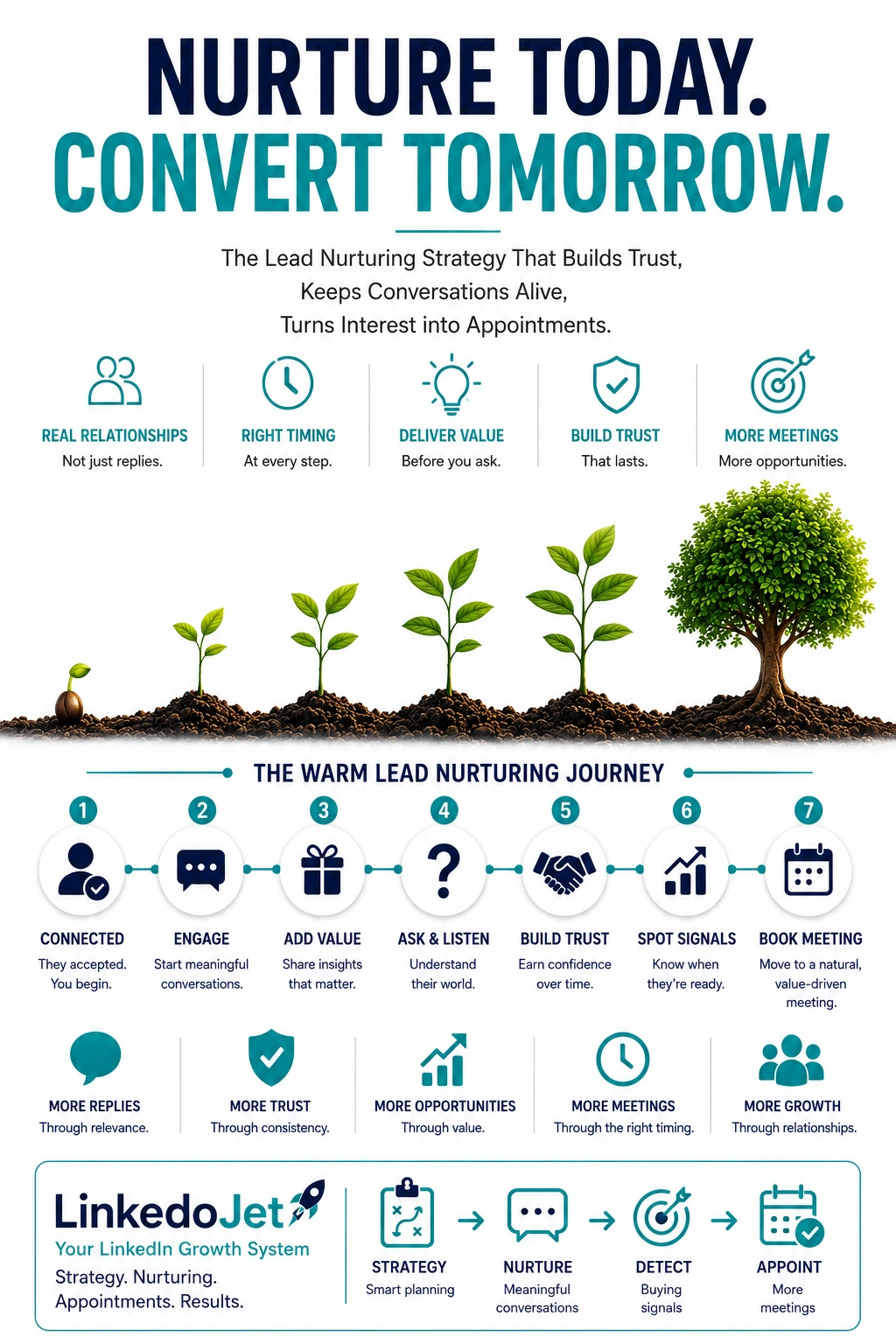
You didn’t get ghosted. They’re stalled.
Warm LinkedIn interest dies in the gap between inspiration and implementation. Your follow-up is what bridges it—without chasing.
You know the pattern. They connect, like two posts, maybe comment “nice work” or “love this palette,” and even reply once. Then… nothing.
Most studios interpret that silence as disinterest. In design, it’s usually something else: they’re overwhelmed, they’re negotiating scope with a partner, they’re waiting on a contractor quote, or they’re anxious their budget won’t survive contact with reality. They don’t know what to ask next, and the safest move is to pause.
That stall is expensive in a way design firms feel more than most. Install calendars, procurement lead times, and payroll don’t care that a lead is “warm.” If you can’t carry curiosity into clarity early enough, you end up back where you started: referral-dependent, uneven months, and a team doing a lot of visible marketing without a predictable intake of projects.
What makes it worse: the first signals on LinkedIn are lightweight by nature. A profile view or a few likes isn’t a buying decision. It’s a private audit. They’re asking themselves questions they won’t say out loud yet:
- Is the taste fit real, or just pretty photos?
- Will this be a calm process, or a months-long spiral of revisions and cost creep?
- Can they work with my contractor / my procurement rules / my timeline?
- Will I feel exposed talking budget before I know what “good” looks like?
If your follow-up jumps straight to “want to hop on a call?” you’re asking them to make a commitment before they’ve reduced any of that uncertainty. The thread doesn’t die because you weren’t persistent. It dies because your next step didn’t match where their head is.
Lead temperature for design buyers: the 4-signal framework
Your job isn’t to “sell the consult.” It’s to respond to the right signal with the right next move.
Design buyers don’t move in a straight line. They bounce between “I want this to feel different” and “I’m scared this will get expensive and messy.” The easiest way to stop losing warm threads is to classify the temperature and only ask for what they’re ready to answer.
| Temperature | What you’ll see on LinkedIn | What they’re really deciding | What to send next |
|---|---|---|---|
| Engagement | Likes/saves, profile view, accepts connection | “Do I trust their taste and professionalism?” | A calm process anchor + a small, easy question |
| Curiosity | “Love your work” / asks style or approach questions | “Could this work for my type of project?” | Mirror their words + offer 1 useful insight + prompt for project type |
| Constraint | Mentions rooms, square footage, deadline, lease/opening, family milestone | “Can this fit my timeline and budget without drama?” | Qualification prompts that feel supportive (timeline, scope, stakeholders) |
| Active | Asks about fees, availability, sourcing, contractors, next steps | “Is it worth allocating time and money now?” | Clear process + budget-safety explanation + a low-pressure booking option |
This is where most studios miss the moment. They treat Engagement like Active, so they push for a call too early. Or they treat Active like Engagement, so they keep sending content when the buyer is actually ready to schedule.
The 3-week nurture cadence that matches how design decisions actually happen
Taste-fit → process confidence → scope clarity. The consult becomes the obvious next step when they start speaking in constraints.
Warm follow-up fails when it ignores how design is bought. People don’t want “more messages.” They want fewer unknowns.
Week 1: Confirm taste-fit without dumping your portfolio
Your first job is to sound like a designer who runs a tight process—not a person begging for a call.
- Short note after connection acceptance (process anchor + lightweight question).
- One practical observation relevant to their world (residential vs commercial).
Week 2: Build process confidence (how you prevent budget drift and decision fatigue)
This is where you teach. Not like a blog post—like someone who’s seen projects go sideways and knows how to keep them sane.
- Share one “heads up” about sequencing (space planning before finishes, contractor coordination, procurement lead times).
- Give them a decision checkpoint you use (weekly approvals, finish sign-off, FF&E lock date).
Week 3: Move to scope clarity (without interrogating them)
By now, the right prospects will start hinting at real constraints. Your follow-ups should make it easier to answer than to ignore.
- Binary questions (“Is this styling + furniture, or a remodel with trades?”).
- Timing prompts tied to real triggers (move-in, opening, photoshoot, lease renewal).
- Soft meeting request with two paths: quick call or short questionnaire.
If they go quiet at any point, don’t tighten the loop with more pressure. Widen it with relevance. Design buyers disappear when they feel a commitment trap.
Message examples that sound like a designer (residential + commercial)
Short, calm, specific. These are written to reduce uncertainty—not to “close.”
1) First warm follow-up after connection acceptance (process anchor)
Residential: “Thanks for connecting, [Name]. If you ever need a second set of eyes on layout or finishes, I’m happy to share how we run the first two weeks so decisions don’t drag. Are you mostly working on remodels, new builds, or furnishing/styling projects right now?”
Commercial: “Appreciate the connect, [Name]. If it’s helpful, I can share how we structure the first two weeks on workplace/hospitality projects so stakeholders stay aligned and approvals don’t stall. Are you focused on office, retail, or hospitality spaces this year?”
2) Follow-up after a prospect replies (mirror + one step deeper)
Residential: “That makes sense—‘updating the space’ can mean a lot of things. What’s driving it right now: function (layout/storage), a life change, or just wanting it to feel more like you? And is there a hard deadline—move-in, hosting, photos, school year?”
Commercial: “Got it. When you say ‘refresh,’ is it brand alignment, performance (flow/acoustics), or a lease/reopen deadline? If there’s a date that can’t slip—opening, investor visit, photoshoot—I’ll tailor guidance around that.”
3) Educational nurturing message (practical insight)
Residential: “Quick heads up that saves a lot of pain: if you pick finishes before the layout is locked, you end up revising twice—once for function, once for aesthetics. We usually confirm circulation + furniture zones first, then finishes get easy. Are you already living in the space while work happens, or will it be vacant?”
Commercial: “One thing that’s tripping teams up right now: hybrid patterns change what ‘enough desks’ means, but the real bottleneck becomes focus rooms + quiet zones. If you’re planning a refresh, mapping usage beats guessing headcount. Is this a space where clients visit (brand-forward), or mostly internal work (performance-first)?”
4) Insight-based follow-up (point of view, not a lecture)
Workplace: “We’re seeing a lot of ‘too many desks / not enough focus rooms’ layouts from pre-hybrid plans. The fix usually isn’t more square footage—it’s rebalancing zones and making circulation calmer. If you’re thinking about changes, is noise/privacy part of the problem, or is it more about brand/experience?”
Residential: “Renovation fatigue is real. When there are too many options, people stop deciding and the timeline stretches. We limit choices on purpose—fewer options, clearer tradeoffs, faster approvals. Are you the main decision-maker, or are you coordinating with a partner/family?”
Hospitality: “Durability gets ignored early and then shows up in year-one maintenance costs. We tend to choose finishes with cleaning and replacement in mind, not just photos. Is this a high-turnover environment (constant wear), or more occasional use?”
5) Case-study / proof-based nurturing message (mini story with deliverables)
Residential: “On a recent project, the constraint was ‘we need it to function for two kids without feeling like a toy store.’ We reworked circulation, built in storage zones, and locked an FF&E list inside a clear range before ordering. Weekly decision checkpoints kept it moving and prevented scope creep.”
Commercial: “We had a workplace project where leadership wanted ‘more energy’ but staff needed quiet. We adjusted the plan to add focus rooms, clarified finish standards for durability, and coordinated procurement so install didn’t slip. The big win wasn’t the mood board—it was fewer change orders because decisions were sequenced.”
6) Soft question to reopen the conversation (binary/easy reply)
“Quick check—are you still aiming for a fall install, or has the timeline moved?”
“Is this more ‘new furniture + styling’ or a remodel with trades?”
“Do you already have a contractor, or are you still gathering options?”
7) Buying-signal response (fees/availability/how it works)
Residential: “Happy to share. We typically start with a discovery call to confirm style fit and the real constraints (scope, timeline, decision-makers). Then we map the first two weeks: space planning priorities, decision checkpoints, and an initial budget range so you feel safe before we go deep on selections. On budgets we work range-first, and we’re transparent about procurement so there aren’t surprises.”
Commercial: “Yes—here’s how we run it. First call is a fit check and constraint check (stakeholders, procurement rules, opening dates). Then we outline the first phase deliverables—planning, standards, and the approval rhythm—so internal alignment doesn’t become the hidden timeline risk. Fees depend on scope, but we’ll give a clear structure and what’s included before you commit.”
8) Soft meeting request (two pathways)
“If you want, we can do a quick 15–20 minute call to sanity-check scope and next steps. If now’s not ideal, I can send a short questionnaire so the conversation is actually useful when we do talk. Which would you prefer?”
9) Dormant lead revival (relevance, not guilt)
Residential: “Heads up—lead times on a few categories are stretching again. If you’re still hoping for a [month] install, it may be worth mapping procurement soon so you’re not forced into ‘whatever’s in stock.’ Has your timeline held?”
Commercial: “Quick timing note: if you’re targeting a [quarter] refresh, approvals and procurement usually dictate the schedule more than design time. If you’re still planning around lease/rebrand dates, I can share the sequencing we use to keep install from slipping.”
10) Final polite close-loop (preserve goodwill)
“No need to circle this if timing isn’t right. If you want, I can share a quick checklist we use to brief a designer/contractor so you’re set either way. Otherwise I’ll pause on my end.”
Buying signals, red flags, and qualification prompts
You’re not qualifying to disqualify. You’re qualifying to protect the project—and your calendar.
The strongest warm-lead follow-up feels like you’re helping them name the project, not selling them into a retainer. That requires prompts that surface constraints without sounding like an intake form.
Buying signals to listen for
- Timeline language: move-in date, baby arrival, hosting/event, photoshoot, opening, lease renewal, funding milestone.
- Process questions: “How does it work?” “What’s the first step?” “Do you work with our contractor?”
- Budget-safety questions: “Can we stay in range?” “How do you handle procurement?” “What does FF&E usually look like?”
- Decision-maker complexity: partner buy-in (residential), leadership/procurement alignment (commercial).
- Availability + fees: they’re no longer browsing; they’re planning.
Red flags (signals to slow down or politely pause)
- Endless inspiration talk with no timeline or willingness to share constraints.
- Fishing for free design plans/specs before agreeing to a process.
- Repeated “just browsing” while asking for detailed recommendations.
- Commercial: procurement rules that require bids but won’t share decision criteria.
Qualification prompts that keep trust intact
- “What’s the date you don’t want to miss—move-in, opening, or photos?”
- “Which spaces are in scope: kitchen + living, full home, or just key rooms?”
- “Is the goal performance (function/flow) or experience (brand/feel), or both?”
- “Who else needs to be comfortable with the plan—partner, GC, leadership, procurement?”
- “Are you aiming for a range you want to stay inside, or are you still exploring what’s realistic?”
Notice what’s missing: “Tell me about your project.” That question creates work for them. Prompts reduce work. And when they’re overwhelmed, reducing work is what keeps the thread alive.
Common warm-lead mistakes design firms make on LinkedIn (and simple corrections)
You can keep your standards high and still be easy to buy from.
Mistake: pushing a consult before they can articulate constraints
Correction: offer a process anchor first (“here’s how the first two weeks work”) and ask one constraint question (deadline or project type). The call becomes a next step, not a jump.
Mistake: portfolio dump instead of process confidence
Correction: share one relevant project snippet with the constraint + decision + outcome. Pretty is assumed. Competence is what they’re screening for.
Mistake: vague questions that make them do all the thinking
Correction: prompt with options: “Is this more furnishing/styling, or a remodel with trades?” “Is the driver function, resale, or a brand refresh?”
Mistake: following up every two days while they’re coordinating stakeholders
Correction: slow the cadence and increase relevance. Timing triggers (contractor scheduling, procurement lead times, opening dates) beat “just checking in.”
Mistake: making it about ‘luxury’ or ‘full service’ when their fear is budget drift
Correction: talk about budget safety: range-first planning, value engineering, procurement transparency, and decision checkpoints that prevent scope creep.
Mistake: ignoring lead-time reality
Correction: use “heads up” guidance as nurture. If they want a fall install, procurement mapping isn’t optional. Being the person who prevents timeline pain is how you earn the call.
The goal isn’t to be louder on LinkedIn. It’s to be the calm, credible operator who helps them move from “I like your taste” to “I know what happens next.”
FAQ
What’s a good LinkedIn follow-up cadence for high-ticket interior design work without sounding needy?
Think in stages, not days. A solid baseline is 3 touches over ~3 weeks: a light post-connection note (process anchor), one practical insight that reduces uncertainty (lead times/sequence), then a scope-clarifying prompt. If they show constraint or active signals (deadlines, fees, availability), tighten the loop and offer a quick call or questionnaire. If they stay in engagement-only mode, keep it lighter and less frequent.
How do I move a LinkedIn conversation from “love your work” to real scope clarity (budget, timeline, decision-makers)?
Mirror the compliment, then ask one “constraint question” that’s easy to answer: deadline (move-in/opening/photos), scope type (styling vs remodel), and decision-makers (partner, GC, leadership/procurement). Use prompts, not open-ended asks. Once they answer, reply with a short process explanation that makes the next step feel safe: what happens in the first two weeks, how approvals work, and how you handle budget ranges.
What are the strongest buying signals for interior design clients on LinkedIn (residential vs commercial)?
Residential: mentions of move-in dates, family milestones, living-through-reno constraints, contractor coordination, and questions about budgets or sourcing. Commercial: opening/rebrand dates, lease renewals, procurement requirements, stakeholder alignment, and questions about process, deliverables, fees, or availability. In both cases, “how does it work?” and “what’s the first step?” are high-intent signals.
How do you reopen a dead LinkedIn thread with a design lead without guilt or pressure?
Bring relevance, not apology. Use a timing trigger that matters in design—contractor scheduling, procurement lead times, seasonal planning, upcoming events, opening dates—and ask a binary question. Example: “Are you still aiming for a fall install, or has the timeline moved?” If they don’t respond, close-loop politely and offer a helpful checklist, then pause.
Should I share my portfolio early, or explain process first when nurturing a warm LinkedIn lead?
Process first, then proof. Most warm leads already like the aesthetic. They’re quietly testing whether you’ll be calm, structured, and budget-safe. Lead with how you run the first phase (decision checkpoints, sequencing, procurement transparency), then share one relevant project snippet tied to a constraint and outcome. It lands as credibility, not a sales dump.
If you want this running without chasing, LinkedoJet will build and operate it with you
Not “automation.” A managed outbound and nurture system that turns warm LinkedIn interest into qualified design consults—tracked, staged, and kept calm.
LinkedoJet is built for teams like yours: great work, real taste, and a pipeline that can’t depend on referrals alone.
Operationally, we set up the full outbound engine: ICP and targeting setup, Sales Navigator prospect list building, AI-assisted personalization that still reads like a studio voice, LinkedIn outreach execution, reply handling, and staged lead nurturing that matches how design decisions actually get made.
After onboarding, you’re not left with a tool and a login. You get a running system:
- Targeting and list building: we define who to reach (principal designers, creative directors, founders, workplace leads, real estate/operations stakeholders—based on your offer) and build clean, segmented prospect lists in Sales Navigator.
- Stage-based messaging: engagement → curiosity → constraint → active, with the right follow-up for each temperature (process anchors, practical “heads up” insights, scope prompts, and soft meeting requests).
- AI-assisted personalization: used to reference relevant context and keep tone consistent, not gimmicky. It helps your team sound present and specific without writing every message from scratch.
- Lead nurturing + follow-up workflows: we keep threads alive with calm cadence, revive dormant leads with timing triggers (lead times, openings, move-ins), and close-loop politely when it’s not a fit.
- Warm lead tracking and appointment support: warm replies are tracked by stage, handoffs are clear, and booked consults are measured so you can see what’s working. You get campaign visibility through dashboards and ongoing refinement as we learn your market’s response.
What makes this different from ordinary LinkedIn automation tools is simple: tools send messages. LinkedoJet runs the system—targeting, personalization, execution, nurturing, tracking, and appointment generation support—so your studio can stay focused on design while the pipeline stays active.
If you book a session, we’ll look at your current offers (discovery calls, retainers, FF&E packages, renovation/styling work), who you’re targeting, and where warm threads are stalling. Then we’ll show you the exact staging and follow-up structure we’d implement for your team—so “nice work” has a next step that feels natural.
Next step: put warm follow-up on a system
You’ll stop guessing who to chase, what to send, and when to ask for a consult—because the stages and prompts are built into the workflow.
From identifying the right decision-makers to starting meaningful conversations and turning them into qualified appointments... LinkedoJet manages the entire outbound engine for your business.