
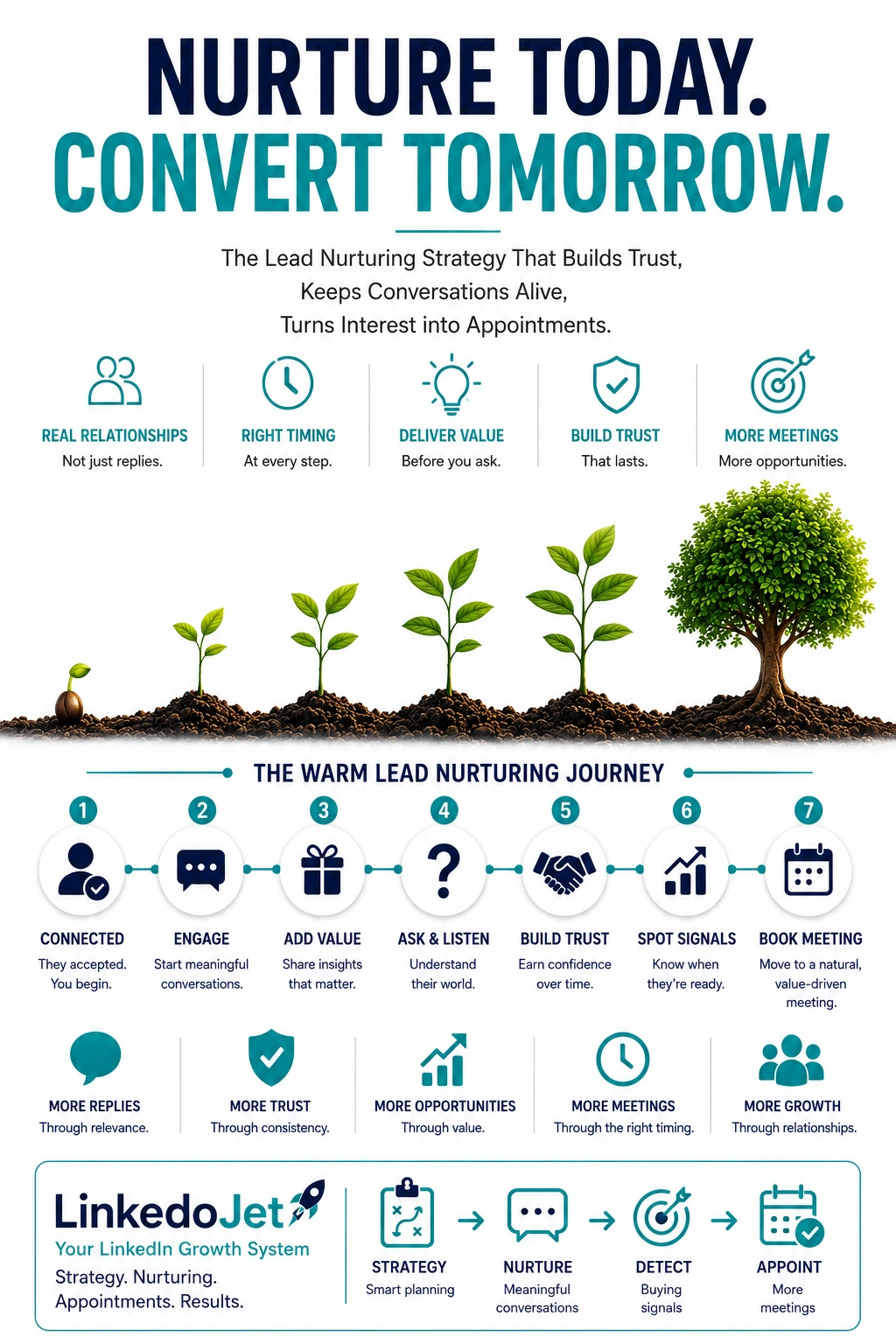
Warm on LinkedIn isn’t a lead. It’s a permission slip.
In industrial automation, threads don’t die because you didn’t “follow up enough.” They die because your next message sounds like you’re about to start a vendor process the plant isn’t ready to trigger.
Warm looks like this: they accept the connection after a post about downtime or an end-of-life PLC. They view your profile after you comment on OEE, changeover pain, or a safety interlock issue. They reply once with a quick “we’re looking at it” or ask a technical question like, “Can you work with our Rockwell standard?”
That’s not a lead. That’s someone handing you a small permission slip: you’re allowed to be in their peripheral vision.
And then the plant reality hits. A line goes down. A shutdown window moves. Maintenance is short-staffed. Engineering is buried. The champion goes quiet because they’re protecting themselves from vendor noise, not because the project isn’t real.
The middle of the funnel is where industrial automation revenue gets decided: the messy weeks where the buyer is weighing integration risk, internal alignment, and timing—before they’ll let you into a scoping call. If your team can’t keep warm conversations alive through that phase, your forecast becomes a small pile of late-stage deals and a large pile of “maybes.”
One clumsy “just checking in” can brand you as another vendor. Meanwhile a competitor who sounds plant-native gets pulled into the first real conversation: a short scoping call that frames the problem and sets the terms.
A plant-native temperature model: Curious → Problem-aware → Evaluation → Scheduling-ready
Warm nurturing works when you treat it as credibility + choreography. Your next touch should match what the plant is actually ready to do.
Most teams use generic stages. In automation, the stage isn’t about your CRM. It’s about whether the buyer feels safe starting the next step without creating integration risk or internal chaos.
| Temperature | What you see on LinkedIn | What they’re protecting | Your best next move |
|---|---|---|---|
| Curious | Connection accepted, profile view, likes/comments on downtime/OEE posts, no project language | Time and attention | One plant-native question that’s easy to answer |
| Problem-aware | Mentions obsolescence, downtime, scrap, safety, “we’ve got an old SLC/old HMI” | Getting blamed for starting a vendor circus | Short insight + a low-friction prompt about constraints |
| Evaluation | Asks about approach, platform (Siemens/Rockwell), downtime allowance, commissioning, documentation | Integration risk and stakeholder alignment | Answer directly, then offer a scoped sanity-check call |
| Scheduling-ready | Mentions shutdown windows, budget gates, IT/OT security, “need to loop in controls/ops,” “targeting Q3” | Pulling the right people in at the right time | Propose a 15–20 min scoping call with a clear agenda |
Here’s the part most sellers miss: a “quiet thread” isn’t always cold. It’s often a warm conversation paused by production reality. If you keep pushing meeting asks while they’re still in Curious or early Problem-aware, you force them to choose between ignoring you or starting a process they can’t control yet.
So the goal is simple: move one notch at a time, and only when the message earns it.
Cadence that fits shutdown windows and fire drills
You’re not nurturing a newsletter reader. You’re staying relevant to someone who’s measured on uptime and gets punished for vendor distractions.
A good cadence in this niche respects two truths: (1) responsiveness is a function of plant load, not interest, and (2) over-follow-up creates vendor fatigue fast.
A practical cadence you can run without burning trust:
- Day 0–2 after connection acceptance: 1 message. Context + one low-friction question. No meeting ask.
- Day 5–8: 1 touch. A short observation from the field tied to risk (documentation gaps, network surprises, FAT/SAT slippage) + “is that showing up for you?”
- Day 12–18: 1 touch. A credible proof point framed as what changed (phased cutover, testing approach, scoping discipline). No deck attached.
- Then pause: if they haven’t engaged, stop sending “bump” messages. Wait for a new relevance trigger (their post, a comment, a profile view, or a seasonal hook like shutdown planning).
When to pause: if they said “we’re slammed,” if they left you on read twice, or if the last message would require effort (sending docs, describing the full project, looping in colleagues). The pause is part of credibility.
When to re-enter: when you can ask an easy question that fits plant reality. Shutdown window. spares availability. end-of-life hardware. security segmentation changes. Anything that feels like you’re paying attention to constraints, not chasing a meeting.
Message prompts that sound like a sales engineer (9 examples)
These are short on purpose. Each one either reduces uncertainty or makes it easier for them to share a constraint.
First follow-up after acceptance (context, no pitch)
“Appreciate the connect. Your note on downtime/OEE hit home—most plants I see are fighting a backlog plus aging controls. Quick one: is what you’re dealing with more brownfield retrofit constraints, or a new line where you can reset the standard?”Low-friction platform prompt
“When controls work is on the table, is there a platform you’re expected to stick to (Rockwell/Siemens/etc.), or is it still open?”After they reply (mirror constraint + small next step)
“Got it—if the window is tight, the surprises usually come from documentation and network assumptions. I can send a short scoping checklist we use before anyone quotes (I/O, comms, segmentation, unknown logic). Want it?”Educational nurture (teach without preaching)
“One pattern I keep seeing on PLC/SCADA refreshes: scope slips because tags/alarms are ‘known’ until you actually map them, and then commissioning turns into archaeology. Is your documentation in decent shape, or more tribal knowledge?”Insight tied to timing (shutdown planning)
“Shutdown windows tend to move right when procurement gets involved. If you’re targeting a window, scoping earlier usually reduces the late ‘we didn’t know that network was locked down’ moment. Are you already coordinating with IT/OT security, or is that still later?”Credible proof point (no vanity metrics)
“We supported a brownfield line modernization where the win wasn’t speed—it was avoiding a Saturday-night cutover surprise. Phased cutover + FAT discipline + a clear rollback plan. If you’re doing anything similar, what’s your tolerance for downtime during commissioning?”Non-needy re-entry when it goes quiet
“Quick check—did that shutdown window stay put, or did it slide? If timing moved, no worries. I’d rather follow your reality than chase you.”Buying-signal response (move toward scoped call naturally)
“If you’re already thinking platform + downtime + who owns controls, that’s usually the point where a short sanity-check call is worth it. Not a demo—just 15–20 min to align constraints and integration assumptions so you don’t pull engineering in too early. Want to do that next week?”Final close-loop (professional exit)
“Sounds like timing may have moved. If this comes back onto the priority list—PLC migration, SCADA refresh, robotics cell work—happy to pick it up. Want me to check back after your next shutdown window, or would you prefer I leave it with you?”
Choreography on LinkedIn: champion protection, OT/IT security, procurement timing
You’re not just selling an automation project. You’re asking someone to invite integration risk into their week.
Your LinkedIn champion is often doing quiet due diligence. They might be a controls engineer who doesn’t want to be stuck owning a vendor relationship. Or an ops leader who has to justify downtime and spend. Their job is to filter you before you ever touch the broader stakeholder group.
Three alignment moves that work without triggering “vendor process” alarms:
- Give the champion a safe framing: “sanity check,” “compare notes,” “pressure-test assumptions,” “reduce commissioning surprises.” Those phrases protect them internally.
- Name the stakeholders before you ask for them: “If IT/OT security owns segmentation, it helps to know early—otherwise scope changes late.” You sound experienced, not pushy.
- Respect procurement timing: procurement is rarely the first blocker; it becomes a blocker when the project is real. If you bring it up too early you look like you’re trying to fast-forward. Bring it up when they’re in Evaluation: “Do you need to be on an approved vendor list before anyone scopes?”
Practical prompts that align the room:
- “Who owns controls standards on your side—engineering or a central automation group?”
- “Is the bigger risk here downtime, safety, or maintaining the line after go-live?”
- “If we did a short scoping call, would it help to have whoever owns OT security on for the last 5 minutes, just to confirm network constraints?”
When you do this well, you’re not “asking for a meeting.” You’re helping them avoid the late-stage pain they’ve lived through: commissioning delays, scope creep, change management blow-ups, and the classic “we didn’t know that system was locked down.”
Common mistakes that kill trust fast
Industrial automation buyers don’t hate vendors. They hate being forced into effort and risk before there’s internal readiness.
- Demo too early: pushing a product tour before you understand downtime allowance, brownfield constraints, and who owns the line. It reads as “we’re about to sell you something,” not “we understand your risk.”
- Industry 4.0 fog: vague modernization language that doesn’t map to their line. If you can’t talk about commissioning, FAT/SAT expectations, documentation, and maintainability, you don’t get progressed.
- Platform blind spots: acting like Siemens/Rockwell/legacy PLCs are interchangeable. Plants can tell when you haven’t been in the weeds.
- Content that creates work: sending PDFs and decks when they asked a simple question. The fastest way to lose them is to make them “review materials.”
- Bad follow-up timing: hitting them three times during a production firefight, then disappearing when things calm down. Cadence should match their world, not your CRM reminders.
- No intent routing: treating a technical question like sales interest (“want to hop on a call?”) or treating a timing signal like a brush-off (“ok let me know”). Both waste the moment.
The underlying mistake is the same: nurturing gets treated as persistence. In this niche, nurturing is proving you understand the plant’s constraints while staying light enough that they can keep you in play.
FAQs
What counts as a “warm” LinkedIn lead in industrial automation—besides a reply?
Connection acceptance is the obvious one, but the stronger “warm” signals are lightweight intent: a profile view right after you post about downtime/obsolescence, a comment that references a constraint (“we’re stuck with legacy HMIs”), or a technical question about platform, integration approach, commissioning, or downtime allowance. Those are credibility tests.
How long should I wait to follow up with plant managers or controls engineers on LinkedIn?
After a connection acceptance, 1–2 days is fine if the message is context + a low-effort question. After that, space touches 5–10 days apart unless they’re actively replying. If they go quiet, don’t “bump” them—pause until you have a relevance trigger (shutdown planning, end-of-life spares, an OT security change, or their engagement with your content).
What should I send instead of asking for a “quick call” after a connection is accepted?
Send something that helps them answer one constraint without starting a vendor process: brownfield vs new line, platform standardization, downtime windows, documentation state, or OT security involvement. A single plant-native question beats a meeting ask every time at this stage.
How do I nurture when the prospect is “collecting options” and doesn’t want a vendor process yet?
Match their intent. Give short, specific context that reduces risk: what tends to bite late (unknown logic, undocumented tags, network surprises), what good scoping looks like, and how to pressure-test assumptions without pulling a full team in. Make your asks tiny: “Want a one-page scoping outline?” not “Can we schedule a call?”
What are the strongest buying signals in LinkedIn messages for PLC/SCADA, robotics, and brownfield upgrades?
Mentions of a shutdown window, budget timing, platform constraints (Rockwell/Siemens), IT/OT security coordination, commissioning concerns, or questions about the discovery/scoping process. If they’re asking how you work and what the timeline looks like, they’re moving from curiosity to evaluation.
If you have warm threads that keep stalling, we’ll turn them into scheduled scoping calls—without burning trust
This isn’t “another LinkedIn tool.” LinkedoJet runs the targeting, outreach, reply handling, and warm nurturing so your team gets meetings when the conversation is actually scoping-ready.
What LinkedoJet operationally provides: we build your ICP and targeting rules for industrial automation buyers (plants, titles, industries, platforms), create Sales Navigator prospect lists, and run LinkedIn outreach with AI-assisted personalization that still sounds like a real operator—not a template.
What happens after onboarding: you don’t get dumped into a dashboard and told to figure it out. We set up the audience, the message paths, and the intent routing. Then we execute daily: sending measured touches, monitoring engagement signals (replies, profile views after technical posts, comment intent), and keeping warm conversations alive through plant timing.
What you receive: a live prospect list system, message sequences built around credibility, ongoing reply handling and nurturing, and a clear view of what’s happening through campaign dashboards—who is warm, what they care about (PLC migrations, SCADA refresh, robotics, MES/IIoT), and where threads are progressing or stalling.
How targeting and prospect list building work: we combine Sales Navigator filters with account-level logic so you’re not just “targeting titles.” We help you reach the real buying circle: controls/automation, ops leadership, maintenance influences, and the early IT/OT security touchpoints that show up once the project becomes real.
How AI-assisted personalization is used: AI helps produce first-pass personalization based on plant-native cues (their role, posts, platform hints, modernization topics). A human-reviewed system keeps it grounded—no hype, no awkward phrasing, and no generic Industry 4.0 fog.
How lead nurturing and follow-up workflows operate: warm leads are tagged by temperature (Curious, Problem-aware, Evaluation, Scheduling-ready). Each stage has a different next touch: an insight, a constraint question, a proof point, or a soft scoping-call suggestion. Cadence is measured and designed to survive fire drills and shifted shutdown windows.
How warm leads and appointments are tracked: we track warm intent, message outcomes, and progression to scheduled calls, so you’re not guessing which “maybes” are real. You see which themes drive replies and which touches move people toward scoping readiness.
Why LinkedoJet is different from ordinary LinkedIn automation tools: automation tools send messages. LinkedoJet runs an outbound operating system—targeting, personalization, execution, reply handling, nurturing, visibility, and ongoing refinement—so the output is qualified conversations and booked scoping calls, not a higher send count.
Next step: put warm nurturing on rails
If you’re sitting on a pile of accepted connections, half-replies, and technical questions that never turn into meetings, the fix isn’t more chasing. It’s a system that reads intent, earns credibility, and advances conversations when the plant is ready.
From identifying the right decision-makers to starting meaningful conversations and turning them into qualified appointments... LinkedoJet manages the entire outbound engine for your business.