
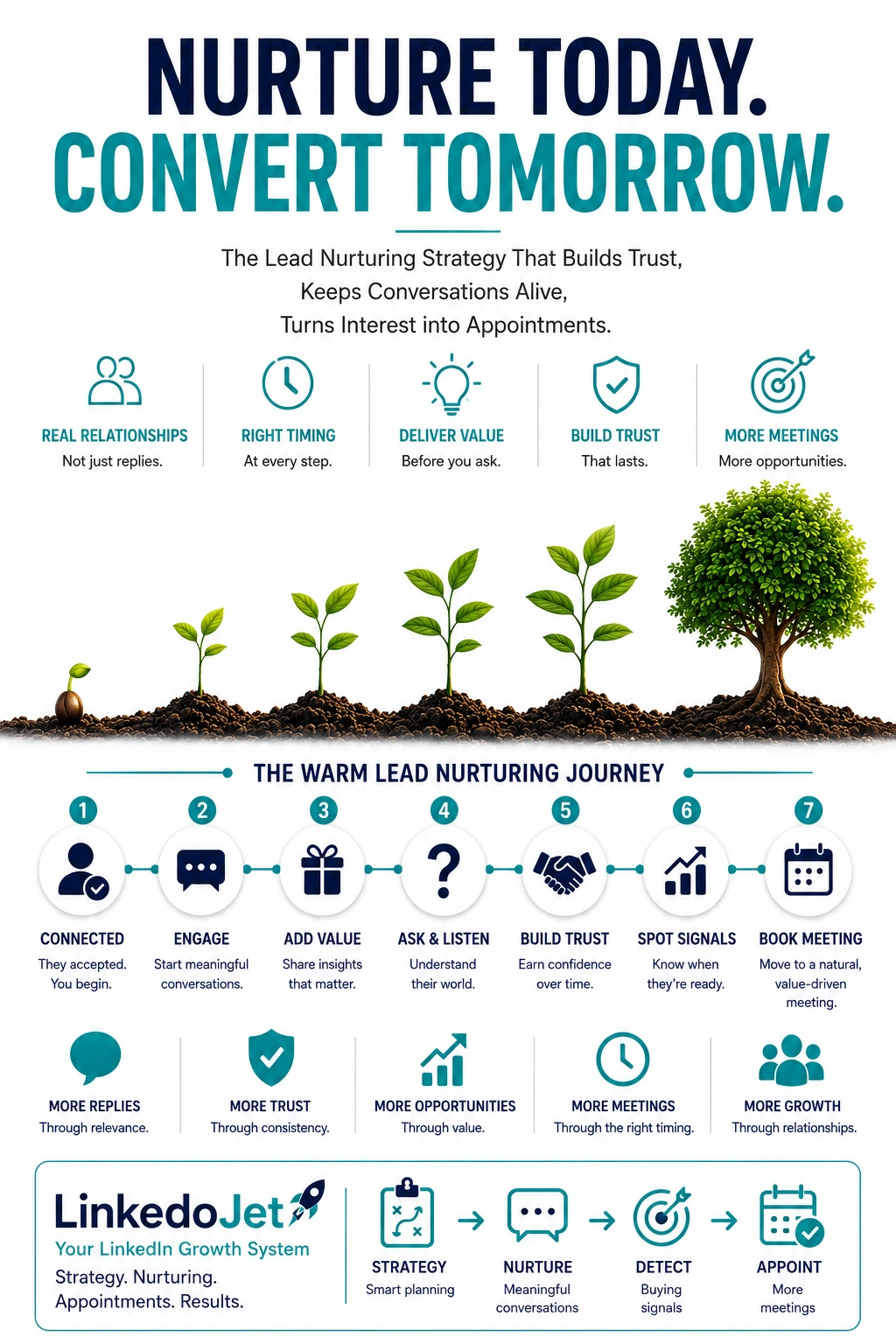
You didn’t lose the deal. You lost the thread.
In workplace tech, silence is rarely a “no.” It’s usually “this is real, but messy.”
A Facilities Manager accepts your connection after liking a post about meeting room reliability. An IT Manager answers one question about Teams Rooms and then disappears. A Workplace lead views your profile after you comment on utilization. You feel the pull to follow up… and the fear of sounding pushy.
The painful part isn’t the quiet. It’s what the quiet usually means in this category: budget isn’t unlocked, a move date slipped, IT and Facilities aren’t aligned on who owns the last mile, and complaint volume is rising every Monday morning. There’s a project hiding in there.
When you lose the thread, you don’t just miss a meeting. You lose context: platform standard, room count ranges, support ownership, constraints. Then your next follow-up sounds generic, and they treat you like every other vendor with a “checking in” message.
AV and smart office deals don’t convert because you were persistent. They convert because you stayed useful while the account caught up to itself—until the next step is obvious: a short scoping call that leads to a site survey when it’s warranted.
Tag warmth by stakeholder + intent (or your follow-ups will feel random)
Warmth isn’t a stage in a funnel. It’s an account situation. And in workplace tech, the same “interest” means totally different things depending on who you’re talking to.
| Stakeholder | What “warm” sounds like | What they’re actually trying to reduce | Your best next message angle |
|---|---|---|---|
| Facilities | “Rooms are hit and miss.” “We’re getting complaints.” “Support is slow.” | Downtime, escalations, disruption | Reliability + support readiness (triage, monitoring, ownership) |
| IT | “We’re standardizing on Teams.” “Security/network concerns.” “MDM?” | Risk, variability, unmanaged endpoints | Standardization + device management + constraints |
| Workplace / RE | “We need the office to work again.” “Utilization is unclear.” | Employee experience, adoption, wasted space | Room types, experience consistency, change management |
| Property / Ops | “Common areas need an upgrade.” “Tenant experience.” “Minimize disruption.” | Tenant churn, project friction, complaints | Phased rollout, disruption control, support model |
Once you tag the conversation (stakeholder + intent), your follow-up stops sounding like “AV seller chasing a reply” and starts sounding like “operator reducing risk.”
It also prevents a common trap: treating every warm lead as a demo opportunity. Facilities rarely wants a demo. IT rarely wants a brochure. Workplace rarely wants a parts list. They want to know you understand the failure modes—and that you won’t leave them holding the bag after install.
The 3-week conversation progression that earns scoping calls
Most teams follow up like the goal is “get a meeting.” In AV and smart office, the real goal is simpler: keep the thread anchored to an operational outcome until timing triggers hit.
Week 1: Confirm the angle (without pitching)
Your job is to narrow the problem into a shape that feels real: platform standard (Teams/Zoom/mix), room types, where failures show up (start-up flow vs reliability), and who owns support when a room fails.
Week 2: Offer a small diagnostic that makes them think
Not a deck. Not “we can help.” A lens. An audit checklist. A question they can forward internally without embarrassment. This is where you earn “you seem like you’ve done this before.”
Week 3: Share proof without a brochure
Short story. What you changed. What you left alone. The real win (often commissioning, documentation, remote monitoring, and support paths—not shiny hardware). Keep it grounded in what breaks rooms on Monday mornings.
Message examples that sound like a real integrator (not a pitch)
Short. Calm. Specific. Each one gives them a reason to reply without committing to a project.
First warm follow-up after connection acceptance
“Thanks for connecting, [Name]. I noticed you’re responsible for [facilities / IT / workplace]. Quick question—are your meeting rooms mostly Teams Rooms, Zoom Rooms, or a mix right now? Only asking because the ‘rooms don’t start’ complaints tend to show up differently depending on the standard.”
Follow-up after a prospect replies
“That makes sense. When you say the rooms are ‘hit and miss,’ is it usually the start-up flow (camera/mic selection), or the underlying reliability (HDMI/USB, updates, network drops)? If you can narrow that down, it usually points to whether the fix is standardization, commissioning, or support monitoring.”
Educational nurturing message
“Something we see a lot: organizations invest in new room kits but don’t define an actual room standard—who owns updates, how peripherals are approved, what’s supported vs ‘best effort.’ If you want, I can send over the 8-point checklist we use on a quick room audit so you can sanity-check your current setup.”
Insight-based follow-up
“One trend this year: the biggest source of meeting room frustration isn’t the hardware, it’s the handoff between IT and Facilities—nobody owns the last mile. The teams that get it under control usually agree on two things: a single standard per room type and a clear support path when a room fails. Curious—who currently gets the first call when a room goes down?”
Case-study / proof-based nurturing message
“We recently helped a multi-site office standardize 30+ rooms. The biggest win wasn’t ‘new gear,’ it was getting the same login flow, same peripherals, and remote monitoring in place so support could fix issues before Monday morning complaints. If it’s useful, I can share what we changed and what we left alone.”
Soft question to reopen the conversation
“Circling back—has anything changed on your side around office moves, refurb, or meeting room complaints? If it’s still ‘not urgent,’ no problem. I just don’t want to keep guessing at timing.”
Buying-signal response (timeline/budget/site survey mentioned)
“Got it—if you’re looking at this in [month/quarter], the clean next step is usually a quick scoping call to understand room count, current platform, and what ‘good’ looks like for your support team. If it still makes sense after that, we can recommend whether a site walk is worth it.”
Soft meeting request (non-pushy)
“Would a 15-minute call next week be helpful to pressure-test the room standard and support approach? If it turns out you’re already in a good place, you’ll at least leave with a short list of the usual failure points to check.”
Dormant lead revival message
“Hey [Name]—I’m closing the loop on this thread. Last time we spoke, you mentioned [Teams Rooms / room reliability / upcoming refresh]. I’m seeing a lot of teams revisit this when complaint volume spikes or when they start planning capex. Is this still on your radar for this quarter, or has it moved out?”
Final polite close-loop message
“I’ll pause my follow-ups for now. If meeting room reliability or standardization becomes a priority again, reply here and I’ll pick it up where we left off.”
Why warm leads stall in AV/smart office (and how to stop causing it)
Warm threads stall when your follow-up ignores the reality of how these projects get approved.
- Asking for a meeting before you know the standard. “Want a demo?” when they’re still deciding Teams vs Zoom (or living in a messy mix) reads as premature.
- Sending “we do AV” copy to someone drowning in incidents. Facilities doesn’t care that you install displays. They care that the room starts, every time, and that support has a path.
- Pushing a product brochure when they need a diagnostic. The moment you send PDFs, you become “vendor in the pile.” A checklist or failure-mode breakdown keeps you in the conversation.
- Talking to one stakeholder like they’re the whole account. If you only speak to IT about security but never address Facilities uptime and ownership, the champion can’t sell it internally.
- Following up with “just checking in.” You’re asking them to do the work—remember context, decide timing, and reply—without giving a new reason to engage.
The fix is not more follow-ups. The fix is better continuity: each touch should connect to what they already told you and gently narrow uncertainty (room types, ownership, constraints, timing).
When you do this well, you’re not “staying top of mind.” You’re becoming the easiest vendor to say yes to when the internal conversation turns into: “We should get someone to look at this.”
Timing triggers that turn “warm but slow” into scoping calls and site surveys
Most workplace-tech initiatives don’t start when someone sees a great idea. They start when pain and timing line up.
What to watch for (and what to message against):
- Complaint spikes: “Rooms don’t start,” audio drops, inconsistent peripherals. These spikes often follow policy shifts (more office days) or new exec expectations.
- Standardization decisions: “We’re going all-in on Teams Rooms” or “We can’t keep supporting three room types.” That’s readiness.
- Moves, refurb, restacks: The floor plan becomes the forcing function. A light scoping call now saves rework later.
- Q4 capex / year-end burn-down: The window where “plan” turns into “pick vendors.”
- Refresh windows: End-of-life devices, expired support, failing peripherals. These create permission for a site walk.
- Support ownership changes: New IT manager, new facilities lead, outsourced helpdesk. Ownership questions surface, and you can provide a clean model.
Your nurturing should treat these like reactivation points. You’re not asking “are you ready?” You’re saying: when this happens, here’s the safe next step.
In this niche, the safe next step is rarely a full demo. It’s usually a 15-minute scoping call to confirm room counts and standards, then a remote assessment or site survey if it pencils out.
FAQ
How long should LinkedIn nurturing run before asking for a scoping call in AV and workplace technology?
Usually 2–3 weeks of paced touches is enough to earn a scoping call—if you’ve confirmed the angle (upline pain, standardization, refresh timing) and you’re reacting to a real trigger. If there’s no trigger yet, keep it lighter and less frequent: one useful touch every 10–14 days, tied to their stakeholder lens (Facilities vs IT vs Workplace vs Property).
What are the strongest buying signals for meeting room AV upgrades on LinkedIn (without waiting for “send a quote”)?
Listen for operational specificity: complaint volume, “we’re standardizing on Teams/Zoom,” “we’re planning a refurb/move,” “our current integrator isn’t responsive,” “we need remote monitoring,” “we’re redoing room booking/signage,” or “we’re comparing options.” The strongest signal is when they ask what you’d recommend, ask about process (audit/site walk), or start sharing constraints (network, security, room types, timelines).
How do I follow up with Facilities Managers on LinkedIn without sounding like I’m selling AV on message two?
Stay in their world: uptime, speed of resolution, fewer escalations, and disruption control. Ask one narrowing question about where failures show up, then offer something small and practical (a short checklist for a room audit, common failure points that cause “rooms don’t start,” or how to structure support ownership between IT and Facilities). Avoid “we install AV” language—it signals you’re skipping to the pitch.
What should I track in a LinkedIn conversation to avoid losing context across Facilities, IT, and Workplace stakeholders?
Track five things: stakeholder type, platform standard (Teams/Zoom/mix), room types/rough counts (even ranges), primary pain (reliability vs standardization vs experience), and timing triggers (move/refurb/capex/refresh/complaint spikes). Add one more if you can: support ownership today (who gets the first call when a room fails). That single detail often determines whether a site survey is premature or perfectly timed.
How do you revive a LinkedIn thread after an IT Manager replies once about Teams Rooms and then disappears?
Don’t “check in.” Close the loop with context and a timing-based reason to respond. Example: reference their last point (Teams Rooms), share one relevant observation (standardization + ownership), then ask a low-friction timing question (“still on the radar this quarter or pushed out?”). If they’re still busy, you’ve preserved trust and made it easy for them to re-engage when the trigger hits.
If you want this to run without living in LinkedIn all day, we can run it with you
This is not a “chat about your strategy.” It’s a working session to show you what LinkedoJet would build, run, and improve—so warm threads turn into scoping calls and site surveys.
LinkedoJet is built for stakeholder-heavy deals like AV, Teams/Zoom Rooms, digital signage, room booking, and smart building integrations—where the project is real, but timing and alignment are messy.
Operationally, here’s what we provide:
- ICP + targeting setup: we define the decision-maker mix you actually need (Facilities, IT, Workplace/RE, Property Ops) and the intent signals that matter (reliability pain, standardization, refresh windows, moves).
- Sales Navigator prospect list building: we build and maintain account and contact lists that match your territory, building types, and buying situations—so you’re not chasing random titles.
- AI-assisted personalization: we personalize outreach based on stakeholder lens and the “why now” context (platform standard, support ownership, complaint patterns), so it reads like an experienced integrator—not a template.
- LinkedIn outreach execution: we run the day-to-day connection and messaging workflow with pacing that fits long-runway projects.
- Reply handling + nurturing: we help manage replies, keep context intact, and push the thread forward with diagnostics, rollout lessons, and low-friction questions.
- Warm lead tracking: leads are tagged by stakeholder + intent + temperature, with notes that prevent the “lost thread” problem when multiple people from the same account engage.
- Appointment generation support: when readiness shows up, we guide the conversion to the right next step (15-minute scoping call → remote assessment → site survey), without forcing a demo too early.
- Campaign visibility: dashboards show activity, replies, warm lead status, and what’s converting—so you can manage outbound like an operating system, not a hope.
- Ongoing refinement: we adjust targeting, messaging angles, and follow-up cadence based on what stakeholders actually respond to in your market.
What happens after onboarding: we set up targeting, build your first prospect lists, write the initial outreach and warm-nurture library (Facilities/IT/Workplace/Property), and launch campaigns with agreed pacing. As conversations come in, we track warmth, manage follow-ups, and surface the accounts that are showing real timing signals—so your team spends time on scoping calls and surveys, not chasing ghosts.
Why this is different from ordinary LinkedIn automation tools: tools send messages. LinkedoJet runs the system—targeting, context, pacing, personalization, nurturing, tracking, and appointment-path control—so you don’t burn trust or lose threads when the account is slow-moving.
Next step: build a warm-nurture engine that converts when timing turns
If you’re already getting initial LinkedIn engagement, the win isn’t “more messages.” It’s a system that keeps stakeholder context, follows up with competence, and turns readiness into the right appointment path.
From identifying the right decision-makers to starting meaningful conversations and turning them into qualified appointments... LinkedoJet manages the entire outbound engine for your business.