
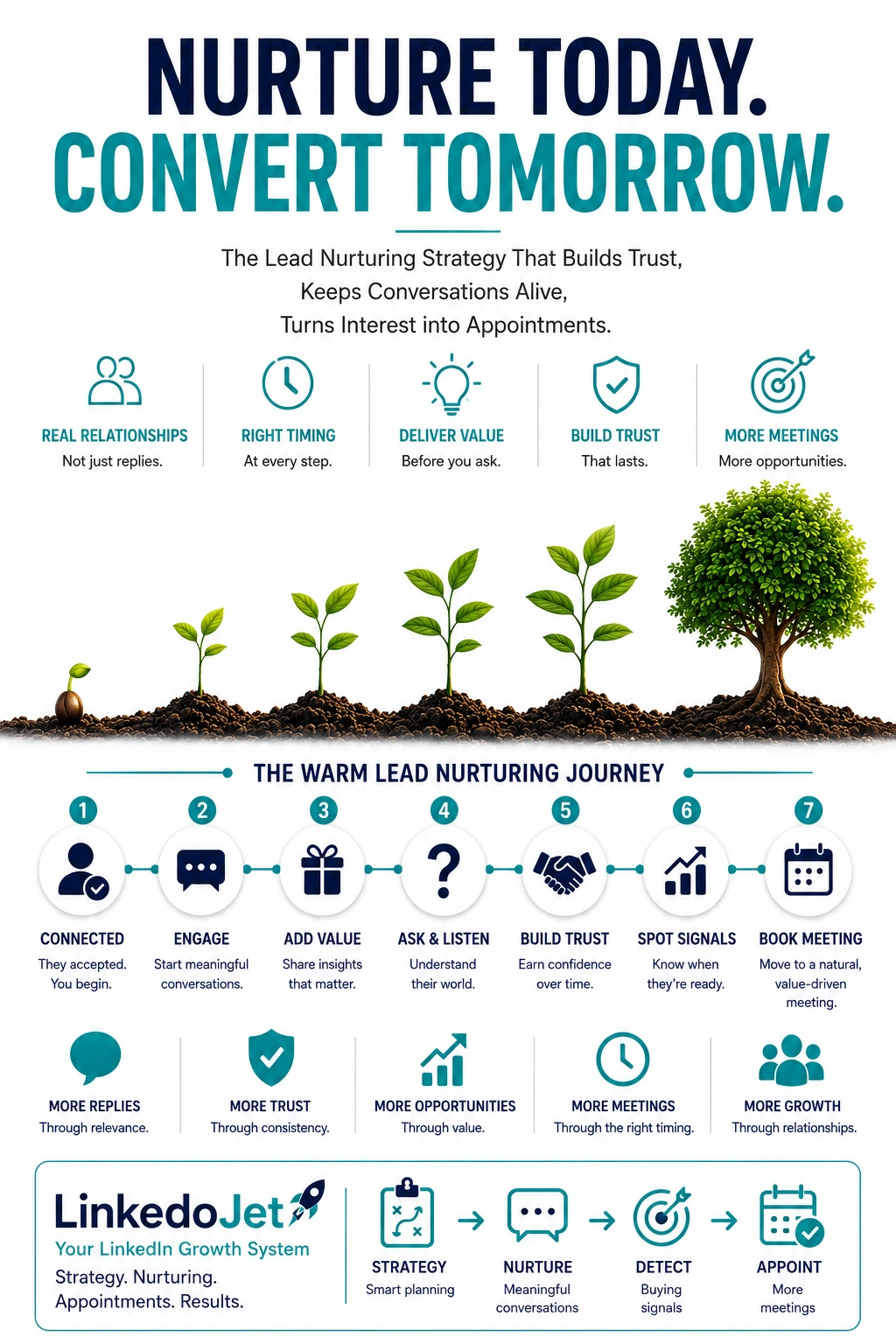
The moment it goes quiet (and why “sounds cool” doesn’t become a call)
Warm signals aren’t the problem. The gap is what happens in the 48 hours after them.
If you run an AI automation agency, you’ve seen this movie: they accept the connection, like your post about agents, ask a quick question about Make vs n8n… and then the thread dies.
Not because they weren’t interested. Because they got pulled back into ops fires and your message didn’t give them a low-risk next step.
That’s the part most teams miss. Early enthusiasm in this category is cheap. Ops leaders will engage for trend-validation, curiosity, or to sanity-check what’s possible. But they won’t allocate time unless you reduce two fears fast:
- Time sink fear: “This will turn into a long discovery call that ends in a vague proposal.”
- Risk fear: “If I involve someone external, I’m creating security work, access questions, and failure modes I’ll own.”
The real cost isn’t “low reply rate.” It’s DM-only momentum: weeks where you feel busy, you’re “in conversations,” and you book nothing. Cashflow gets lumpy. So you take the deal that closes fast (discounted, vague scope, wrong buyer) just to smooth the month.
Meanwhile, the good-fit Head of Ops or RevOps lead you actually want mentally files you under “Zapier + ChatGPT” before you ever get to show how you ship safely into their stack.
A simple temperature model for ops buyers (so you stop pushing the meeting too early)
Your follow-up should change based on what they’ve already revealed—otherwise you sound like everyone else.
Most “nurture sequences” fail because they treat silence as a cadence issue. It’s usually a precision issue.
Here’s a model that matches how ops buyers actually behave when they’re curious but overloaded:
| Temperature (plain English) | What they say/do | What they’re deciding | Your next move |
|---|---|---|---|
| 1) Curious, non-committal | Accepts, likes, “interesting,” asks a tool question | “Is this person thoughtful or just selling?” | Earn a micro-commitment: name one workflow + ask one grounded question |
| 2) Problem-aware, mentions a workflow | “Onboarding is messy,” “reporting takes forever,” “handoffs are painful” | “Is this fixable without creating chaos?” | Scope the conversation: system of record, volume, failure mode, owner |
| 3) Feasibility / stack questions | Security, access, “we’re on NetSuite,” “we already have Zapier” | “Will this create risk or rework?” | Send a risk/effort sanity check + show restraint (“here’s what I wouldn’t automate”) |
| 4) Timing + stakeholders | “Not this quarter,” “need IT,” “after audit,” “Q3” | “When will I get air cover to do this?” | Set a trigger-based follow-up + offer a 15–25 minute working session with a tight agenda |
The trap is trying to drag Temperature 1 into Temperature 4 with a meeting ask. You don’t look proactive. You look like another AI automation agency hunting for calls.
Warm nurturing is scoped diagnosis in public. You’re not persuading them that automation is cool. You’re helping them decide that talking to you won’t create work.
What to nurture with (without content spam)
If the message doesn’t reduce risk or increase clarity, it’s noise.
Ops buyers don’t want more “AI automation content.” They want fewer unknowns. The best nurture assets are small, specific, and tied to the workflow they hinted at.
Four formats that consistently keep threads alive:
- Teardown notes (one paragraph): “Here’s where this process usually breaks and why it creates rework.” This lands when they’re living in handoffs and approvals.
- Scoped suggestion: “If you only automated this handoff between Zendesk and Slack, here’s what would change.” One workflow. Two systems. One measurable outcome.
- Risk checklist for agents: Hallucinations, human-in-the-loop approvals, audit trail, exception handling, and what happens when inputs are messy. This calms the “security will ask” buyer.
- Before/after story framed as ops outcomes: Cycle time, SLA misses, error rate, ticket backlog, reporting fire drills. Not “we built an agent.”
What you’re really doing is earning micro-commitments that turn fuzzy interest into a shaped problem:
- Confirm the workflow: “Which part is the slow step?”
- Confirm the system of record: “Where is the ‘truth’—NetSuite, HubSpot, a sheet, something else?”
- Confirm constraints: “Any PII, SOC2, finance approvals, or IT gates?”
- Confirm ownership: “Who gets yelled at when this breaks?”
Message examples you can paste today
Short. Specific. Built around one workflow and one micro-commitment.
First warm follow-up after connection acceptance (no pitch)
“Thanks for connecting. I noticed you’re close to ops work—curious, where do you see the most painful handoff right now: approvals, onboarding, or reporting? I’m not selling anything here; I’m just trying to understand what’s actually eating time on your side.”After they reply once (“interesting” / short answer)
“Got it. If we zoom in on one workflow: is the pain more about cycle time (things taking days), error rate (stuff breaking), or visibility (no one can tell what’s stuck)? If you tell me which one, I can sanity-check where automation helps vs where it makes a mess.”Educational nurturing (automation tradeoffs)
“One quick distinction that saves teams a lot of grief:
1) Workflow automation is deterministic (rules, routing, syncs).
2) Agent behavior is probabilistic (LLMs deciding/acting).
3) Data quality is the multiplier (garbage in = expensive weirdness).
If your inputs aren’t stable, I’d start with workflow + guardrails before ‘agent-first.’ Where do you think your current process sits?”Role-tied insight (COO/RevOps/Finance Ops/CX)
“When COOs tell me ‘we’re swamped,’ it’s rarely volume—it’s exception handling. The happy path is fine, but edge cases trigger Slack storms and manual QA. In your world, what’s the exception that keeps coming back: missing fields, approval loops, or customer context living in five places?”Proof-based nurture (believable scope + result)
“Small example from a recent build: we scoped it to one thing—routing inbound support tickets from Zendesk into the right Slack channel + tagging the account owner in HubSpot, with an approval step for high-risk categories. Net effect was fewer misroutes and faster first response, without giving an LLM free rein. If your ticket flow is similar, I can outline the exact guardrails we used.”Reopen after a pause (easy out + useful signal)
“Quick one—should I assume this dropped in priority, or is it still a real pain but just buried under fires? Either answer helps. If it’s ‘later,’ I can also ask: who typically owns this workflow on your side—Ops, RevOps, IT?”Buying-signal response (backlog / headcount freeze / security / Zapier / messy past)
“That makes sense. When someone says ‘security will ask’ or ‘we already have Zapier,’ I usually take it as a scope + governance question, not a no. If you want, we can do a 10-minute feasibility sanity check in DM: which systems would we need access to, what data is sensitive, and what’s the failure mode if the automation misfires? If it looks risky, I’ll tell you upfront.”Soft meeting request as a working session (15–25 minutes)
“Would a short working session be useful? 15–25 minutes, no deck. We pick one workflow, map current state in plain English, flag constraints (security/access/audit trail), and decide whether it’s worth automating at all. If it is, I’ll outline a tight scope; if it isn’t, we stop there—no proposal unless it’s a fit.”Dormant revival (30–90 days later, trigger-based)
“Circling back because this is when it tends to resurface: quarter planning / backlog cleanup usually exposes the same bottlenecks. Last time we spoke, you mentioned [onboarding/reporting/approvals]. Has anything changed—new tooling, headcount freeze, leadership pushing efficiency? If it’s relevant again, I can send a quick scoping checklist that keeps the project from ballooning.”Final close-loop (goodwill + lightweight resource)
“I’ll close the loop on my side so I’m not the ‘checking in’ person. If timing shifts and you want to pressure-test one workflow, reply ‘scope’ and I’ll send a simple worksheet we use to define inputs/owners/approvals before any build. Either way, appreciate the chat.”
Why warm LinkedIn leads go quiet for automation agencies (and how to reduce the risk)
Silence is often a protective move. Your nurture should make engagement feel safe.
In this niche, prospects disappear for specific reasons. If you address the real reason, you don’t need a dozen follow-ups.
- They fear a time sink. They’ve sat through “discovery” calls that turned into a pitch.
Your fix: offer a working session with a narrow agenda and a clear stop condition. - Ownership is unclear. The workflow touches Ops, IT, Finance, and CX. No one wants to own the project.
Your fix: ask “who owns this when it breaks?” and “who approves access?” early. - Security/access feels like a tax. Especially with LLMs and agents, they imagine data leakage and audit nightmares.
Your fix: talk guardrails: least-privilege access, approvals, logging, and deterministic steps around agent behavior. - They’ve been burned by brittle automations. Someone built Make/Zapier flows that failed quietly, created duplicates, or broke when a field changed.
Your fix: discuss monitoring, exception queues, and how you handle schema changes and retries. - They think you’re “just Zapier.” They assume it’s glue scripts with a new label.
Your fix: anchor to outcomes and governance: audit trails, change control, integration patterns, and controlled scope. - The process is messy. If the manual process is undefined, automation multiplies confusion.
Your fix: normalize this and propose a quick workflow map before any build.
When your follow-up reduces perceived work and perceived risk, you stop chasing them. They come back when a trigger hits: headcount freeze, SLA misses, onboarding surge, reporting fire drills, or leadership asking for efficiency.
Buying signals and qualification cues in ops conversations (and what to do next)
Look for operational language, not enthusiasm. Then respond with the right micro-commitment.
Strong intent rarely shows up as “let’s hop on a call.” It shows up as ops friction and constraints.
| Signal you’ll see in DMs | What it usually means | Best next step |
|---|---|---|
| “We’re buried in backlog.” | They need triage and a win that buys time. | Ask which queue is embarrassing (tickets, approvals, onboarding) and what “good” looks like in 30 days. |
| “Headcount is frozen.” | Efficiency mandate; they’ll fund projects that remove recurring toil. | Offer a one-workflow scope with a measurable before/after (cycle time or error rate). |
| “Security will ask a lot of questions.” | They want governance and predictability. | Send a short checklist: data types, access scopes, logging, human approvals, failure handling. |
| “We already have Zapier/Make.” | Tooling exists; reliability/ownership is the real issue. | Ask what breaks, who maintains it, and whether they have monitoring + documentation. |
| “We tried automation and it got messy.” | They got bitten by edge cases and lack of guardrails. | Ask for one example of a failure mode; respond with how you’d design exception handling. |
| “This is more of a Q3 thing.” | Not urgent yet; they need a reminder at the right moment. | Set a trigger-based follow-up and ask what event makes it real (audit, new VP, tooling change). |
| They mention specific systems (NetSuite, Zendesk, Salesforce, Snowflake) | They’re picturing implementation. | Offer a short working session: current-state map + constraints + feasibility call. |
Qualification in this category is simple: workflow + pain + constraint + authority. If you can get those four, the meeting almost books itself—because it no longer feels like “another AI call.”
FAQ
How do I follow up after a LinkedIn connection accepts without pitching my AI automation agency?
Anchor to why you connected and ask one operational question that’s easy to answer. Don’t ask for a meeting. Don’t ask them to “tell you about their business.”
A good first follow-up sounds like: “Where’s the most painful handoff right now—approvals, onboarding, or reporting?” It signals you understand their world, and it lets them respond in one line.
What should I send as “value” in nurturing if I don’t want to spam posts, PDFs, or generic case studies?
Send small, specific assets tied to their workflow: a one-paragraph teardown, a scoped suggestion (one handoff, two systems), or a short risk checklist for agent behavior and audit trails. The goal isn’t content consumption; it’s a micro-commitment that clarifies scope and reduces risk.
How do I keep LinkedIn conversations going when an ops leader is interested but busy with fires?
Make the next step lighter than a call. Ask for one missing piece of context (system of record, owner, volume, approval gate) and offer to sanity-check feasibility in DM. If they go quiet, follow up with an easy-out question: “Should I assume this dropped in priority, or is it still real but buried?” Busy buyers will answer that.
How do I respond when they say “we already have Zapier” or “we tried automation and it got messy”?
Agree with the premise and reframe the problem as governance and reliability. Ask what breaks, who owns maintenance, and whether they have monitoring and exception handling. Then offer a small next step: a quick workflow map + failure-mode review. You’re showing you won’t ship brittle glue and disappear.
What are the strongest buying signals for AI workflow automation projects in LinkedIn DMs?
Look for operational language: backlog, rework, handoffs, approvals, reporting fire drills, onboarding bottlenecks, SLA misses, headcount freezes, and “security will ask.” Also watch for stack specificity (NetSuite, Zendesk, Salesforce, Snowflake) and timing/stakeholder questions. Those are intent signals; respond by proposing a scoped 15–25 minute working session, not a vague discovery call.
Turn warm LinkedIn interest into scoped working sessions
If you already have “interesting” replies but the thread dies, we’ll build the follow-up system that keeps conversations alive—without sounding automated or needy.
LinkedoJet isn’t a LinkedIn automation tool you have to babysit. It’s an outbound engine we run with you.
On this session we’ll pressure-test one real workflow you sell (onboarding, approvals, support routing, reporting) and match it to the DM path that actually gets ops leaders to commit time: micro-commitments first, working session second, proposal only if it’s truly a fit.
What LinkedoJet operationally provides after onboarding:
- ICP and targeting setup built around the roles that buy this work (COO, Ops, RevOps, Finance Ops, CX, IT) and the triggers that make projects real (headcount freeze, SLA misses, quarter planning).
- Sales Navigator / LinkedIn prospect list building so you’re not mixing tire-kickers with real owners of workflows and budgets.
- AI-assisted personalization that stays grounded in the prospect’s world (stack clues, role context, workflow friction)—not fluffy compliments.
- LinkedIn outreach execution with controlled messaging that earns replies without over-promising “agents everywhere.”
- Lead reply handling and nurturing so warm threads don’t die when you’re in delivery mode.
- Warm lead tracking based on real signals (workflow mentioned, constraints raised, timing, stakeholder cues), not vanity engagement.
- Appointment generation support that drives toward a tight 15–25 minute working session agenda: current state, constraints, feasibility, next step.
- Campaign visibility through dashboards so you can see what’s happening: who’s warm, who’s stalling, which messages create micro-commitments.
- Ongoing campaign refinement as objections show up (security, “we already have Zapier,” messy past automations) and your best-fit segments become obvious.
How targeting and prospect lists work: we define your ICP in practical terms (systems, workflow types, common constraints), then build Sales Navigator lists that prioritize owners of operational bottlenecks—not just “AI interested” profiles.
How AI-assisted personalization is used: to produce context-aware openers and follow-ups that reference plausible workflow friction (handoffs, approvals, exception handling, audit trails). Everything is reviewed against your positioning so you don’t sound templated.
How nurturing and follow-ups operate: we run a temperature-based follow-up system that prompts the right nudge at the right time—teardown notes, scoped suggestions, risk checklists, and working-session asks that feel low-risk.
How warm leads and appointments are tracked: you’ll see who’s moving, who’s stuck, and why—so you can focus on conversations with workflow + pain + constraint + authority.
Why this is different from ordinary LinkedIn automation tools: tools send messages. LinkedoJet manages targeting, context, replies, nurturing, visibility, and appointment support—so your agency stays consistent even when you’re deep in delivery.
Next step: install a nurturing system that produces booked calls, not dead threads
You bring a real offer and delivery capability. We bring the targeting, follow-up discipline, and appointment support that turns warm LinkedIn signals into revenue.
From identifying the right decision-makers to starting meaningful conversations and turning them into qualified appointments... LinkedoJet manages the entire outbound engine for your business.