
How to find leads for interior design companies—using LinkedIn + Sales Navigator intelligence
If your outreach is aimed at “interior designers,” you’re not prospecting—you’re donating samples. The better path is simple: identify the right studios, map who actually controls specs and purchasing, then time your message around signals that show they’re in motion. This is a prospect intelligence system, not generic automation.
- A targeted firm list by sector, geography, and headcount (so you stop chasing “design-only” studios that never buy)
- Decision-maker titles across Principal, FF&E/specs/procurement, and ops/PM (so you don’t get stuck in “send info” limbo)
- Buying signals & outreach angles tied to installs, openings, hiring, awards, and sourcing activity (so you show up at the right time)
Why most “interior design leads” outreach fails (and what it costs you)
You can have a great product, tight logistics, and credible case studies—and still lose.
Not because the market doesn’t want what you sell. Because you’re arriving late, speaking to the wrong person, and saying the wrong thing for the project type. Interior design firms don’t buy like most B2B accounts. Spec influence is distributed. Procurement can be in-house, client-driven, or a hybrid. And the vendor set is often decided before you ever see an RFP.
When the targeting is fuzzy, the cost isn’t just low reply rates. It’s very physical:
- Wasted samples and swatches shipped to studios that can’t route you into the spec set
- Showroom time that doesn’t convert because you met a creative stakeholder with zero purchasing pull
- Cycle length creep from months of “send info” while another vendor is already being written into schedules
Here are the common failure modes I see with vendors targeting interior design firms:
- Targeting generic “interior designers” instead of firms with procurement authority and active projects
- Messaging Principals only while the real gate is FF&E, specifications, materials, or studio ops
- Zero proof of timing—no install/opening/hiring/press signal to justify why you’re reaching out now
- Pitching a category without anchoring to sector fit (hospitality vs workplace vs healthcare vs luxury res have different constraints)
This page gives you a repeatable way to build a list that can actually buy, spot when they’re entering a spec cycle, and reach the right person with a message that doesn’t sound mass-produced.
Who to target inside design firms (and who to message first)
Inside most studios, “decision-maker” isn’t one person. It’s a chain: someone shapes the palette, someone owns the schedule, and someone controls procurement risk.
| Tier | What they control | Titles to target |
|---|---|---|
| Economic buyers | Approval, preferred vendor direction, big-budget decisions | Owner, Principal, Founder, Co-Founder, Managing Principal, Senior Principal |
| Specs / FF&E / procurement influence | What gets specified, substitutions, documentation requirements, vendor onboarding | FF&E Director, FF&E Manager, Furniture Specialist, Director of Procurement, Procurement Manager, Purchasing, Specification Manager, Materials Librarian |
| Execution & ops | Lead times, install coordination, budget friction, project delivery risk | Project Director, Project Executive, Director of Project Management, Project Manager, Studio Director, Director of Operations, Operations Manager, Studio Operations |
Who to message first (rule of thumb):
- Boutique / luxury residential (1–10 employees): Principal/Owner + Senior Interior Designer / Principal Designer. They’re closer to the spec and vendor set.
- Larger commercial studios (15–200+): Start with FF&E/specs or ops/PM (they feel the pain of lead times, substitutions, compliance), then loop in Principal/Managing Principal for approval and vendor preference.
Qualify firms fast: sector/geo/size + procurement model signals (and disqualifiers)
The fastest way to improve your hit rate is to stop calling everything an “interior design lead.” Treat each firm like a small market with a business model you can read in minutes.
Fast qualification checklist (60–120 seconds per firm):
- Sector fit: do they actually do the project types your category wins in (hospitality vs workplace/TI vs healthcare vs multifamily vs luxury res)?
- Geography fit: do their locations match your service/install footprint? Multi-location firms matter if you can support nationally.
- Headcount: 5–200 is the core range; 1–10 for boutique luxury; 50–500 for national/commercial (adjust based on your offer and lead times).
- Budget proxies: recognizable client logos, portfolio scale, complex sectors (healthcare/education), awards, consistent press, frequent project completions.
- Deal velocity: installs and “just wrapped” posts, steady hiring, new office announcements—these correlate with active work and vendor churn.
Procurement model signals to look for (green flags):
- Language like “FF&E procurement,” “specification,” “materials,” “vendor partnerships,” “preferred vendors”
- In-house roles for FF&E, specifications, procurement, studio operations, project management
- Project posts thanking vendors/manufacturers (signals an active vendor ecosystem and public partner behavior)
Disqualifiers (stop wasting cycles):
- “E-design,” “virtual design,” “single-room refresh,” “home staging” (unless that’s your market)
- No portfolio, no identifiable sectors, inconsistent branding, or no evidence of activity in the last 12 months
- Misclassified “design” companies that are actually graphic/brand agencies
- “Design only, client purchases directly” (deprioritize if you require procurement influence to win)
Good-fit examples (the kind of leads that convert):
- A hospitality studio posting a recent opening, install photos, and tagging vendors
- A workplace/TI firm expanding into a new city and hiring PMs
- A healthcare interiors team talking about compliance standards and material documentation
Sales Navigator recipes: build account lists by vertical, then pull decision-makers
The win isn’t “get more leads.” The win is building three lists: firms that fit, people who matter, and signals that tell you when to move.
Recipe A: Core interior design firm list (Account search)
- Geography: your target region(s)
- Company headcount: 5–200 (adjust: 1–10 boutique luxury; 50–500 larger commercial)
- Industry: Architecture & Planning; Design Services; Construction (only if the description clearly includes interiors)
- Keywords (company): “interior design” OR “interiors” OR “interior architecture” OR “FF&E” OR “workplace design” OR “hospitality design” OR “residential design” OR “commercial interiors” OR “space planning”
Recipe B: Vertical overlays (swap keywords to match your category)
- Hospitality: “hotel” OR “resort” OR “restaurant” OR “bar” OR “hospitality” OR “F&B” OR “lifestyle hotel”
- Workplace/TI: “workplace” OR “tenant improvement” OR “TI” OR “office” OR “HQ” OR “workplace strategy” OR “space planning”
- Healthcare: “healthcare” OR “medical” OR “clinic” OR “hospital” OR “senior living”
- Multifamily: “multifamily” OR “mixed-use” OR “amenity” OR “leasing” OR “model unit”
- Luxury residential: “luxury residential” OR “high-end” OR “bespoke” OR “estate” OR “residential new build”
Recipe C: Decision-makers (Lead search from saved accounts)
- Current company: your saved account list
- Seniority: Owner, Partner, CXO, Director, VP, Manager (for ops/procurement)
- Function: Operations; Business Development; Purchasing; Design; Project Management
- Title keywords: Principal, Founder, Owner, Managing Principal, Design Director, Studio Director, Creative Director, Operations, Procurement, FF&E, Specifications, Materials Librarian, Project Management
- Optional: Years in current position 0–3 (new leaders often re-evaluate vendors)
Recipe D: Relationship warm-start spotlights
- Posted on LinkedIn in last 30 days (activity is a timing signal)
- Changed jobs (new decision-maker, new vendor openness)
- Mentioned in the news (press/awards = active work and marketing spend)
Verification step (don’t skip): before outreach, cross-check the company page and website portfolio. Confirm sector focus, locations served, and any procurement language. This is where you avoid the “design-only, client purchases” dead ends.
Buying signals you can actually use (and non-creepy personalization lines)
Design firms are showing you the timeline now—installs, site walks, openings, awards, team growth, vendor tags. Those signals appear on LinkedIn weeks or months before a vendor search ever hits your inbox.
Project signals
- Install photos, “just wrapped” posts, site visits, punch list week energy
- Grand openings, ribbon cuttings, restaurant/hotel launches, tenant move-in announcements
Personalization line example: “Saw your team sharing install photos from the recent project—when you’re in that phase, lead times and substitutions get real fast. If you’re ever stuck sourcing [category] that meets [constraint], I can send a tight spec sheet + a couple of proven options.”
Growth signals
- Hiring for Project Manager, FF&E/Procurement, Specifications, Studio Ops, Senior Designer
- New office/location, team expansions, new practice area announcements
Personalization line example: “Noticed you’re adding PM/FF&E capacity—usually that means more installs and tighter coordination. We support teams with [documentation/lead time/field support] so projects don’t stall when the schedule tightens.”
Press & awards signals
- Magazine features, awards shortlists, local business journal coverage
- Case studies going live (signals a recent completion and an active pipeline)
Personalization line example: “Congrats on the feature—your work in [sector] is consistent. We’re a fit when teams need [benefit tied to sector, e.g., durability/cleanability/fire ratings/acoustics] without compromising the aesthetic.”
Sourcing signals
- Trade show attendance: NeoCon, HD Expo, ICFF, KBIS
- Vendor/manufacturer tags, showroom visits, material palette posts
Personalization line example: “Saw your post from [event/showroom]. If you’re building out vendor options for [category], I can share a small set that’s already been approved on [similar sector] projects—no broad catalog dump.”
The tone shift matters: you’re not “checking in.” You’re reacting to a public signal and offering something that helps them keep a project moving.
LinkedoJet for this niche: prospect intelligence + signal-based outreach (not a volume bot)
Most LinkedIn tools stop at sending messages. That’s the easy part. The hard part is building a list that can buy, reading procurement reality, and staying on the account long enough to catch the next spec cycle.
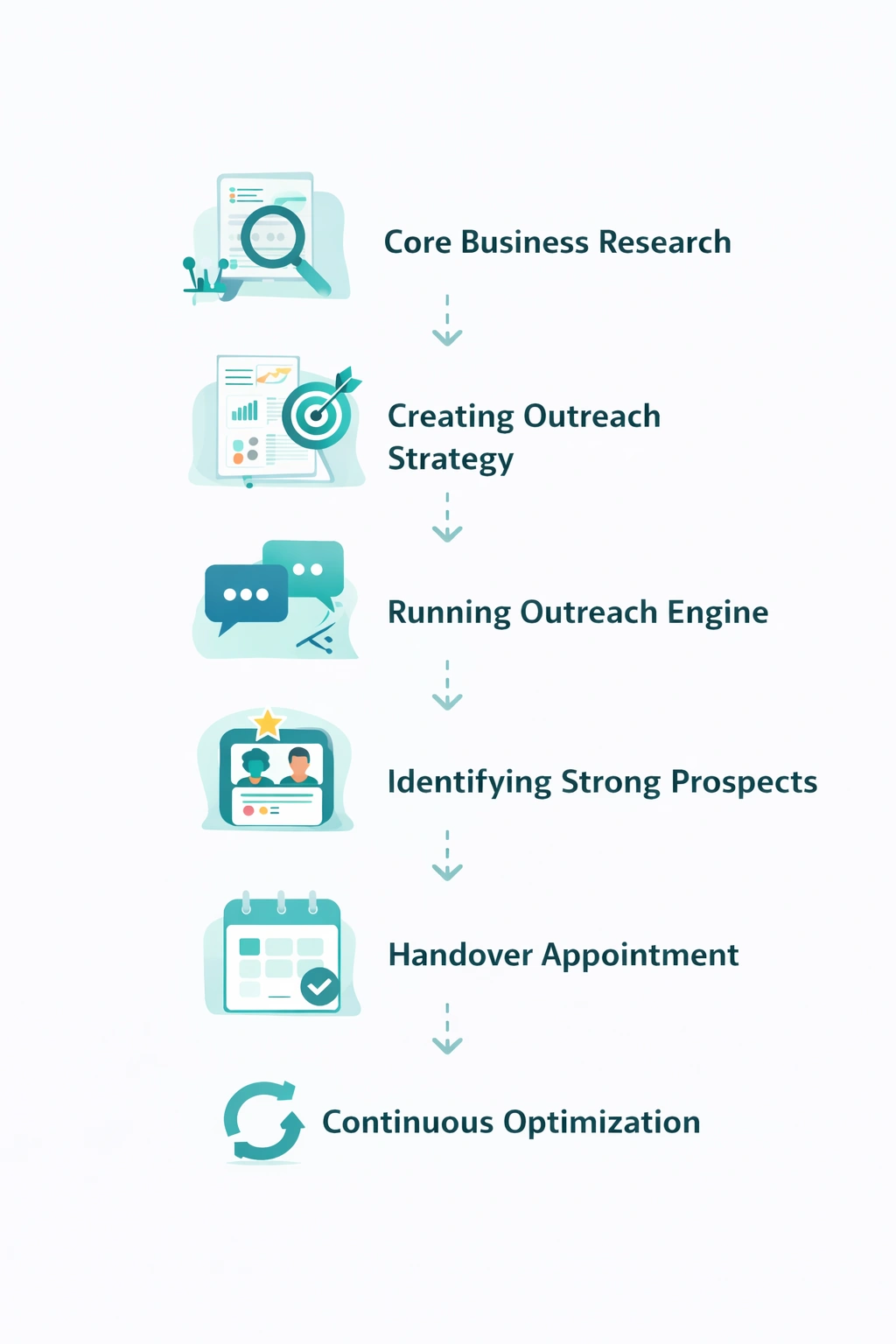
LinkedoJet is built for that hard part. We run an outbound engine that combines Sales Navigator list-building, account intelligence, AI-assisted personalization, outreach execution, reply handling, and follow-up workflows—so you get fewer, better conversations with firms that are actually in motion.
What the system looks like in practice
- Build: targeted account lists of interior design firms by sector + region + headcount (with disqualifiers baked in).
- Identify: we pull decision-makers and influencers using title logic (Principal, FF&E/specs/procurement, ops/PM) so you don’t rely on a single persona.
- Verify: each account gets quick intel notes: sector focus, locations served, procurement language, portfolio scale, recent activity, and the vendor ecosystem (tags, partners, showrooms). We also capture practical clues like mentions of Revit/AutoCAD, procurement tools, and PM tooling when they appear.
- Activate: we run signal-based outreach angles tied to projects, hiring, press, and sourcing. Messages are AI-assisted but controlled—grounded in what’s public and relevant, never creepy. Then we manage follow-ups and nurture sequences so warm leads don’t fade.
What you receive after onboarding: a live prospect list segmented by vertical, the people map per account, outreach sequences matched to signal types, and visibility through dashboards showing sends, replies, warm leads, and booked conversations. We refine weekly based on what’s getting traction and where deals are stalling.
And importantly: LinkedoJet isn’t ordinary LinkedIn automation. We don’t just “send more.” We prioritize timing, relevance, and the internal path to being specified and added to the vendor set.
FAQ
Should I target principals first, or FF&E/specifications/procurement?
Start where influence is highest for your category. In boutique firms, the Principal/Owner and a Senior/Principal Designer often control both taste and vendor choice—so include them early. In larger commercial studios, FF&E, Specifications, Materials Librarian, and Studio Ops/PM are usually the fastest path to real movement because they manage approvals, documentation, and install risk. Then loop in the Principal/Managing Principal once there’s a clear reason to care.
How do I tell if an interior design firm actually procures FF&E versus “design only”?
Look for procurement language on the site and LinkedIn: “FF&E procurement,” “purchasing,” “vendor partnerships,” “preferred vendors,” “specification,” and roles like FF&E Director/Procurement Manager. Also watch how they post: firms that procure often tag manufacturers, thank vendors, and discuss lead times, installs, or substitutions. “Design only, client purchases directly” is a clear deprioritization signal if you need in-house purchasing influence.
What headcount range is the sweet spot for commercial firms vs boutique luxury residential studios?
As a baseline: 5–200 employees covers most predictable B2B buying behavior. For boutique luxury residential, 1–10 can be ideal because decision-making is concentrated (but project volume is lower). For national or procurement-heavy commercial firms, 50–500 can be strong if your operations can support their scale, documentation needs, and multi-location work.
How do I avoid e-design, staging-only, or low-activity studios when building my list?
Use negative keyword checks and simple proof rules. Exclude firms that market “e-design,” “virtual design,” “single-room refresh,” or “home staging” if you sell commercial or high-ticket categories. Require a portfolio with recent work, identifiable sectors, and evidence of activity (recent posts, press, hiring, or project updates). No portfolio + no activity is usually a time sink.
What are the strongest buying signals that a design firm is entering an active spec/install cycle?
Install photos, site visits, “just wrapped” posts, grand openings, and vendor tags are the clearest. Hiring for PM/FF&E/specs and Studio Ops is a close second because it signals workload and process tightening. Awards/features can also indicate a strong project pipeline and active marketing spend—often paired with ongoing sourcing for the next wave of work.
See what LinkedoJet would run for your interior design firm pipeline
This isn’t a generic “strategy call.” You’ll leave with a clear view of the list, the people map, the signals we’d track, and the outreach workflow we’d run—so you can stop guessing and start getting conversations with studios that can actually buy.
What LinkedoJet operationally provides: we set up ICP and targeting, build Sales Navigator prospect lists, apply AI-assisted personalization, execute LinkedIn outreach, handle replies, run follow-up/nurture workflows, and track warm leads and appointments in dashboards. Then we iterate the campaign based on real response data.
What happens after onboarding: we build segmented lists (by vertical and region), map decision-makers and influencers at each studio (Principal + FF&E/specs/procurement + ops/PM), and capture lead notes like sector focus, portfolio scale, procurement model signals, current project-cycle clues (installs/openings), and vendor ecosystem tags.
How targeting and prospect list building works: we start with account searches (industry, headcount, geography, and interior design keywords), then layer vertical overlays (hospitality/workplace/healthcare/multifamily/luxury res). From there we pull the right titles and apply spotlights like “posted in last 30 days,” “changed jobs,” and “mentioned in the news” to prioritize timing.
How AI-assisted personalization is used: AI helps draft first lines and relevance anchors from public signals (project posts, hiring, press, events), but we keep it controlled and specific—no creepy references, no generic compliments, no copy-paste catalog pitch.
How lead nurturing and follow-up workflows operate: we don’t rely on one message. We run a sequence that changes angle based on signal type (install vs hiring vs press), routes replies into next steps, and keeps warm leads engaged until the next spec cycle.
How warm leads and appointments are tracked: you get visibility into who was contacted, who replied, who’s warm, and which accounts are nearing a conversation. This is how you stop losing deals simply because you forgot to follow up at the moment they were ready.
Why LinkedoJet is different from ordinary LinkedIn automation tools: automation pushes volume. LinkedoJet runs a managed outbound engine built around prospect intelligence: right firms, right roles, right timing, and message angles that fit the way interior design procurement actually works.
From identifying the right decision-makers to starting meaningful conversations and turning them into qualified appointments... LinkedoJet manages the entire outbound engine for your business.
Next step: stop chasing “interior design leads” and start targeting active buying cycles
If you want a steadier flow of qualified conversations with interior design firms, the shift is straightforward: build a vertical-specific firm list, map specs/procurement influence, watch for real signals, and run outreach that reads like you understand how projects get specified and purchased.