
A repeatable way to find international manufacturing buyers on LinkedIn (and stop guessing)
If your export outreach keeps hitting “not my role” or silence, it’s rarely because your product isn’t competitive. It’s because you’re talking to the wrong side of the org—or the wrong type of company entirely.
You can feel the clock when you’re running an export motion. Capacity planning doesn’t wait. Margin targets don’t wait. And every month of weak targeting turns into another quarter dependent on one or two legacy customers—plus another round of price pressure when you don’t have real options.
LinkedIn can fix this, but not the way most teams use it. Not with “more leads,” not with a higher message volume, and definitely not with a scraped list.
What works is treating LinkedIn + Sales Navigator as a prospect intelligence layer. We build what we call an Export Lead Map: export-ready accounts in your target countries, the real buyer-side decision-makers (procurement/channel/OEM), and the trigger signals that tell you who’s actively sourcing right now.
Trust line: Sales Navigator-driven targeting + trigger-based outreach. No spray-and-pray. No pretending logistics contacts are buyers.
Get a LinkedoJet Export Lead Map See Example Export Buyer Signals
Why export outreach fails: wrong companies, wrong contacts, wrong fit, wrong timing
Most export teams don’t have a lead problem. They have a buyer identification problem.
- Low replies from generic outreach → the message isn’t the core issue; the list is full of people who can’t buy.
- Freight/customs/logistics contacts replying “not my role” → you’re on the supply chain side, not the supplier-selection side.
- Distributor vs end-buyer confusion → you’re pitching the wrong channel model (and your offer sounds off immediately).
- Compliance/MOQ mismatch → you’re spending cycles on accounts that can’t pass your gate (or you can’t pass theirs).
- Trade-show lists that went nowhere → stale contacts, wrong seniority, and no evidence they’re sourcing now.
- “Busy” pipeline that won’t convert → activity without intelligence looks productive until forecasting week.
The hidden cost is more than wasted SDR time. It’s operational: production gets planned around wishful thinking, pricing gets discounted to keep a small set of customers, and export growth feels less controllable than it should.
International sourcing has tightened. Buyers consolidate vendors, add compliance gates (CE/REACH/FDA/IATF depending on the category), and switch faster when tariffs, lead times, or quality slip. Meanwhile, their inbox is packed with lazy LinkedIn messages. If you can’t show fit and relevance in the first 10 seconds, you don’t get a second look.
Who you actually need to reach (and how we verify relevance)
Export deals don’t die because nobody needs your product. They die because you’re talking to someone adjacent to purchasing—logistics, operations support, or a “supply chain” title that never touches supplier onboarding.
| Motion | Who tends to own “yes/no” | Typical LinkedIn titles to target |
|---|---|---|
| Importer / wholesaler / distributor | Portfolio + vendor selection, margin, channel coverage | Managing Director, General Manager, Head of Sales, Business Development Director, Distribution Manager, Channel Manager |
| Direct procurement / sourcing team | Supplier onboarding, RFQs, cost-down, dual sourcing, audits | Head of Procurement, Strategic Sourcing, Category Manager, Commodity Manager, Procurement Manager, Buyer, Senior Buyer, Supplier Manager |
| OEM / industrial stakeholder set | Spec + operational approval (often shared with procurement) | Operations Director, Plant Manager, Engineering Manager, Maintenance Manager (MRO), Quality Manager (regulated categories) |
We don’t assume relevance from a job title. We verify it by reading profiles for buyer language: “supplier onboarding,” “vendor management,” “sourcing,” “category,” “portfolio,” “import,” “audits,” “tenders,” “cost-down,” “dual sourcing.”
One small operator move that changes everything: map 2–5 stakeholders per account instead of betting the deal on one person. In export, handoffs are normal—category owns selection, engineering owns spec, procurement owns onboarding, and leadership owns the exception when you don’t fit the standard vendor list.
Export-fit qualification scorecard (and the red flags to exclude)
If your list doesn’t reflect export reality—MOQ, lead times, Incoterms, certifications—you’re building a pipeline that can’t close. We qualify accounts before outreach so you’re not “discovering” disqualifiers six emails in.
| Scorecard area | What we check on LinkedIn / web footprint | Why it matters in export |
|---|---|---|
| Market | Target country + logistics hubs (HQ/locations), served regions, language | Market-first filtering prevents “global” lists that aren’t buyable |
| Product fit | Portfolio terms (HS-code-adjacent descriptors), materials, applications, SKUs | Stops you from pitching “close enough” categories that never convert |
| Compliance | ISO/IATF/CE/REACH/RoHS/FDA/BRC/HACCP mentions, audits, regulated-market claims | Buyers gate suppliers early; missing compliance kills response |
| Capacity | Company headcount, locations, production language (plants/lines), growth signals | Aligns with MOQ and deal size so you don’t chase micro-buyers |
| Channel model | Distributor programs, dealer network, private label language, OEM/direct procurement | Messaging changes depending on whether they resell or consume |
| Logistics terms | Warehouses, “global shipping,” Incoterms references (FOB/CIF/DDP), lead time language | Prevents dead ends where delivery model is incompatible |
| Buying structure | Named procurement team, category ownership, engineering influence, plant autonomy | Tells you who must be involved for the deal to move |
Red flags we actively exclude: freight-only companies, customs brokers, pure 3PLs (unless you sell to logistics), tiny firms with no purchasing function, marketplaces/dropship models (unless relevant), and profiles that are 100% forwarding/broker language.
Sales Navigator setup exporters can actually repeat (market-first, with negative filters)
This is the part most teams skip. They start with an industry keyword and a job title, then wonder why the list is full of the wrong companies. Start with the destination market, then control the noise.
- Choose target geography like an exporter: set HQ to your import countries, then tighten to logistics hubs when it helps (Rotterdam/Netherlands, Hamburg/Germany, Los Angeles/Long Beach area, Dubai/UAE, Singapore, etc.).
- Select industries by buyer type: Wholesale, Distribution, Retail (B2B), Consumer Goods, Industrial Machinery Manufacturing, Automotive, Electrical/Electronic Manufacturing, Food & Beverage, Packaging, Construction, Medical Equipment Manufacturing—matched to your category. Add Import and Export or Logistics and Supply Chain only when you’re explicitly targeting importers/trading firms (and you’re filtering out forwarders).
- Add account keywords that reflect how buyers describe the job: “importer,” “wholesaler,” “distributor,” “trading,” “procurement,” “sourcing,” “private label,” “OEM,” “aftermarket,” “MRO,” plus product terms like “fasteners,” “valves,” “pumps,” “injection molding,” “CNC,” “die casting,” “corrugated,” “PET,” etc.
- Set headcount bands based on MOQ reality: 11–200 for many distributors, 201–1000 for mid-market buyers, 1001+ for enterprise procurement. If your MOQ is high, don’t pretend a 10-person trading shop is a fit.
- Use negative filters like a grown-up: exclude keywords such as “freight forwarder,” “customs broker,” “forwarding,” “3PL,” “recruiting,” “jobs,” “consultant,” “agency,” “dropshipping,” “affiliate” (unless your model targets them).
- Map decision-makers with lead filters: seniority (Owner/Partner/CXO/VP/Director/Head/Manager) + function (Purchasing, Operations, Business Development, Sales, Engineering, Quality). Add title includes like “Head of Procurement,” “Strategic Sourcing,” “Category Manager,” “Commodity Manager,” “Buyer,” “Distribution Manager,” “Channel Manager,” and title excludes like “Freight,” “Customs,” “Broker,” “Recruiter,” “Intern.”
- Save searches into two working lists: one for Target Accounts (companies), one for Decision Makers (people). That separation is what makes follow-up and refinement possible.
LinkedoJet turns this into a repeatable export workflow: lists that stay clean, notes that capture fit, and triggers that tell your team who to contact first.
Buying signals that change timing (and the scan phrases to use before outreach)
Export outreach dies when you contact everyone as if they’re sourcing today. Timing isn’t luck—you can often see it in public.
Activity signals (posts/comments)
Decision-makers will telegraph constraints and priorities: lead time pain, supplier quality issues, cost-down pressure, tariff exposure, sustainability/compliance changes, or a new product line that creates a component/packaging need.
Hiring signals (organizational intent)
New procurement/sourcing hires, trade compliance roles, or regional channel hires usually mean they’re changing something—new regions, new suppliers, new volume, or new standards.
Company signals (moves that force supplier changes)
Warehouse openings, new market launches, distributor recruitment posts, acquisitions, or “now serving” announcements often precede sourcing activity.
| Signal type | Scan phrases your team can literally look for |
|---|---|
| Sourcing pressure | “seeking new suppliers”, “alternate sourcing”, “dual sourcing”, “vendor consolidation”, “supplier onboarding”, “RFQ” |
| Cost / lead time | “cost-down initiative”, “lead time reduction”, “supply risk”, “backorders”, “expedite”, “tariff impact” |
| Compliance / quality | “CE / REACH update”, “RoHS”, “audit”, “supplier quality”, “CAPA”, “regulated market”, “traceability” |
| Expansion | “launching in EU”, “new warehouse in…”, “new distribution center”, “entering GCC”, “new product line” |
| Hiring | “Procurement Manager”, “Strategic Sourcing”, “Buyer”, “Trade Compliance”, “Import/Export Specialist”, “Regional Channel Manager” |
The point isn’t to wait forever for perfect intent. It’s to avoid starting cold when you could start warm—with a reason that feels obvious to them.
How LinkedoJet runs this end-to-end for exporters (and what you actually get)
Most “LinkedIn automation” tools stop at sending messages. That’s the easy part. The hard part is building an export-ready target universe, mapping the right stakeholders, and timing outreach with evidence—then handling replies like a real commercial function.
LinkedoJet is the operating system around that:
- Segmentation by market + product: we define the destination markets, buyer types (importer/distributor vs direct procurement vs OEM), and product descriptors that match how your buyers search.
- Account discovery with Sales Navigator + exclusions: market-first filters, industry selection by buyer type, headcount/MOQ reality, and aggressive negative keywords to keep freight/broker noise out.
- Decision-maker mapping (2–5 per account): we build the stakeholder set using seniority/function/title logic, then verify relevance with profile reads for supplier selection language.
- Prospect intelligence notes: certifications and regulated-market clues (ISO/IATF/CE/REACH/FDA/BRC/HACCP), channel fit (private label vs OEM vs distribution), and logistics realities (warehouses, Incoterms, lead time expectations).
- Trigger capture: activity/hiring/company moves are attached to the account so your outreach starts with a reason, not a pitch.
- Export Lead Map output: a prioritized list of 30–100 target accounts per market, each with mapped stakeholders and the evidence note that justifies outreach.
- Outreach execution + nurturing: AI-assisted personalization grounded in the notes above, LinkedIn outreach sent in controlled sequences, reply handling, and follow-up workflows for the “not now” and “send details” paths.
- Warm lead tracking + appointment support: warm replies, handoffs, and booked meetings are tracked in dashboards so you can see what’s working by market and segment—and refine it.
This is how you stop being dependent on trade shows and luck, and start running export prospecting like a system.
Get a LinkedoJet Export Lead Map See Example Export Buyer Signals
FAQs
Can you help us find distributors and importers versus end buyers (direct procurement)?
Yes—and we separate the motions on purpose. Distributor/importer targeting uses account keywords like “importer,” “wholesaler,” “trading,” “private label,” plus channel titles (MD/GM/Head of Sales/Channel). Direct procurement targeting anchors on procurement functions and category ownership, then we map supporting stakeholders (engineering/quality/operations) when the category is spec-driven or regulated.
How do you avoid freight forwarders, customs brokers, and other non-buyers when searching on LinkedIn?
We use a combination of negative account keywords (freight forwarder, forwarding, customs broker, 3PL), title exclusions (freight/customs/broker), and profile verification. If the profile language is about clearance, documentation, and forwarding rather than supplier onboarding/vendor management/category ownership, it’s out. The goal is a buyer-side list, not a “supply chain adjacent” list.
What if we need strict certifications or regulated-market readiness (ISO/IATF/CE/REACH/FDA/BRC/HACCP)?
We bake compliance into both targeting and messaging. In list building, we prioritize accounts and stakeholders that explicitly mention audits, compliance programs, regulated markets, or standards relevant to your category. In outreach, we reference the specific gate (for example CE/REACH, IATF 16949, FDA) and position your evidence (certs, testing, traceability, QA systems) early—because regulated buyers filter you fast.
Can we target specific countries, regions, and languages (e.g., EU hubs like Rotterdam/Hamburg, GCC, SEA, LATAM)?
Yes. We run market-first searches by HQ country and then narrow to regions/cities when logistics hubs matter. We can segment by language where it affects response rates and stakeholder selection. The Export Lead Map is typically delivered per market segment (e.g., DACH distributors, UK wholesalers, GCC trading companies, US industrial/MRO buyers) so your team can execute without mixing contexts.
How do you identify who really owns supplier selection—procurement, engineering, operations, or channel leadership?
We don’t guess from a single title. We map the stakeholder set: procurement/category, channel leadership (for distributors), and engineering/quality/operations when specs and approvals drive selection. Then we verify via profile language (supplier onboarding, vendor management, category ownership, audits, cost-down, sourcing projects) and cross-check with company structure signals (procurement org, plant autonomy, product lines).
Book a working session: we’ll build the Export Lead Map plan for your next market
This isn’t a vague “discovery call.” If we’re a fit, you’ll leave with clarity on the exact target segments, the list logic, and how outreach + follow-up will run week to week.
What LinkedoJet operationally provides: ICP and targeting setup, Sales Navigator prospect list building, AI-assisted personalization, LinkedIn outreach execution, reply handling and nurturing, warm lead tracking, appointment generation support, and campaign visibility through dashboards—plus ongoing refinement as we see what each market segment responds to.
What happens after onboarding: we set up your market segments (by destination region + buyer type), build clean account lists with negative filters, map 2–5 stakeholders per account, and attach intel notes (compliance, capacity clues, channel model, logistics terms). Then we capture triggers (activity/hiring/company moves) so outreach starts with a reason.
What you receive: an Export Lead Map per segment (typically 30–100 accounts) with decision-makers mapped and evidence-backed notes, plus outreach sequences that reflect your channel path (distributor vs direct procurement vs OEM). Replies are handled with a nurturing workflow so “not now” doesn’t disappear into a spreadsheet.
How targeting and list building works: we anchor on geography first (countries/regions/hubs), then layer in industry and account keywords that match how importers/distributors/procurement teams describe themselves. We actively exclude freight forwarders, customs brokers, recruiting, and other non-buyers. Lists are saved as working assets you can reuse and refine.
How AI-assisted personalization is used: not as generic sentence-spinning. We generate first-touch and follow-up lines based on the specific notes and trigger we captured (certifications, private label program, warehouse expansion, sourcing hire, cost-down initiative), so the message reads like you actually did your homework.
How follow-up and appointments are tracked: warm leads and booked meetings are tracked in a dashboard view by market and segment, so you can see what’s producing qualified conversations—and what needs tightening.
Why LinkedoJet is different from ordinary LinkedIn automation tools: tools send messages. LinkedoJet builds the targeting system, the Export Lead Map, the trigger-based prioritization, the personalization inputs, the follow-up workflow, and the visibility you need to run export outbound like an engine.
Next step: make export pipeline predictable again
Bring your target markets and product category. We’ll turn it into a prioritized Export Lead Map: export-ready accounts, the real buyer-side decision-makers, and the trigger notes that tell you who to contact first.
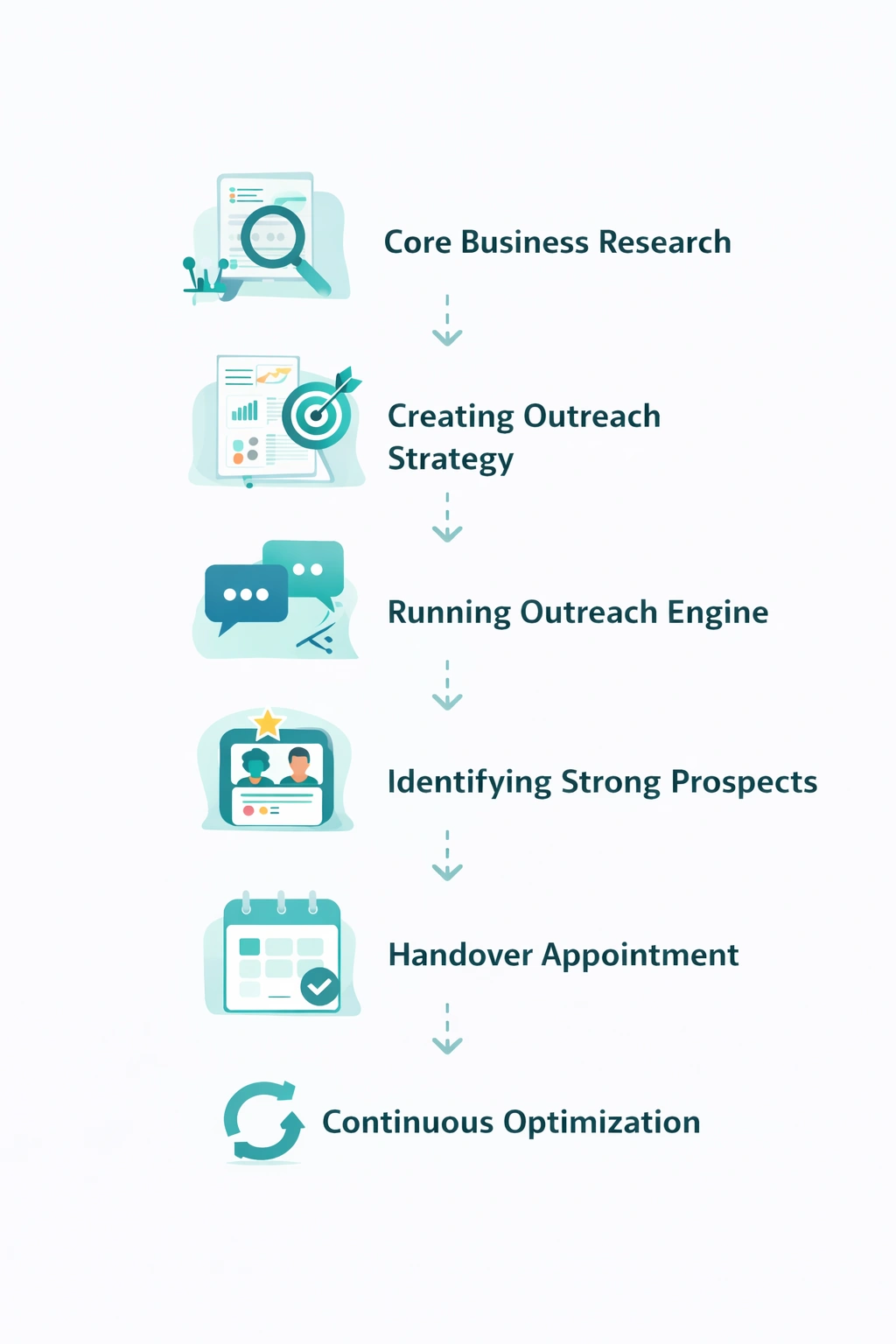
From identifying the right decision-makers to starting meaningful conversations and turning them into qualified appointments... LinkedoJet manages the entire outbound engine for your business.