
How to find leads for EdTech companies using LinkedIn + Sales Navigator intelligence
Education buying isn’t a single persona hunt. It’s committees, calendars, compliance, and timing. This is the practical method we use to build segmented K-12 / Higher Ed / Corporate L&D account lists, pull the real buying committee, and prioritize outreach based on signals (RFPs, pilots, migrations, rollouts) that show up in plain sight.
- Build segmented account lists (districts, campuses, employers) instead of random title lists
- Target real decision makers across academic + IT + procurement/budget
- Spot RFP/pilot/rollout signals before competitors are even aware there’s a shortlist
The painful truth: if your list is full of “Director of Instructional Technology” and “Curriculum” titles but replies are flat, you don’t have a copy problem. You have a committee + timing problem.
Why EdTech prospecting breaks: wrong “leads,” committee blind spots, and missed buying windows
Most EdTech teams aren’t short on activity. They’re short on progress.
You can send 500 connection requests, book a handful of polite chats, and still end the month with nothing you can forecast. Because the “leads” you collected were users, not buyers. Or they were procurement-only contacts who can’t sponsor change. Or you reached the right title at the wrong moment—after the RFP is drafted and the evaluation committee already has a preferred vendor.
Education cycles punish late entry. K-12 summer implementation windows, board approval cadence, and academic calendars are real constraints. Higher Ed adds shared governance and accessibility/security scrutiny. Corporate L&D looks faster, until integrations and change management slow the deal down.
The hidden cost isn’t just low reply rates. It’s reputation. Internally, your team gets the “why is EdTech so slow?” pressure. Externally, education leaders start to categorize you as another vendor who doesn’t understand how decisions actually get made.
LinkedIn has the signals—role changes, initiative language, conference participation (ISTE, CoSN, EDUCAUSE), and hiring tied to rollout capacity. Most teams just don’t systematize them, so they learn about pilots and RFPs when it’s already too late.
Decision-maker map by segment: who actually buys (and who can stall you)
Stop treating “decision-maker” like a single title. In education, you win by mapping the committee and running a multi-threaded conversation.
Committee map (simple, but non-negotiable): Sponsor → Academic Owner → Technical Owner → Procurement/Budget. If you only build one thread, you’ll get trapped in user-level conversations or stuck at the sourcing gate.
| Segment | Primary buyer committee (what to pull on LinkedIn) |
|---|---|
| K-12 Districts / Charters |
Sponsor: Superintendent, Assistant/Deputy Superintendent, COO (district) Academic Owner: Chief Academic Officer, Director of Curriculum & Instruction, Curriculum Director, Director of Assessment, Director of Student Services, Director of Special Education (when relevant) Technical Owner: CTO, Director of Technology, Director of IT, Director of Instructional Technology, Coordinator of EdTech, Director of Data/Information Systems, SIS Administrator, Network Administrator Procurement/Budget: CFO, Procurement/Purchasing Director |
| Higher Education |
Sponsor: Provost (when visible), VP-level academic/technology leaders, CIO/CTO Academic Owner: Director of Teaching & Learning, Director of Online Learning, Director of Digital Learning, Director of Academic Technology, Learning Technologist Technical Owner: CIO, VP Information Technology, Director of IT, LMS Administrator, Accessibility Director (compliance-sensitive tools), Director of Institutional Research (analytics), Registrar (SIS/workflow) Procurement/Budget: Procurement/Sourcing Manager |
| Corporate L&D (only if fit) |
Sponsor: VP Learning & Development, Head of Talent Development Program Owner: Director L&D, Director of Training, Sales Enablement Leader (if relevant) Technical Owner: HRIS / People Ops / IT (for integrations and security) |
Operator move: for each account, you want at least 3 contacts minimum—one academic, one technical, one budget/procurement. That’s how you avoid being “the tool someone liked” instead of “the initiative someone is accountable for.”
Create my Roadmap to Success if you want us to build the committee map and the first segmented lists with you.
Account qualification rules: fit checks, disqualifiers, and rollout windows by segment
Education is full of “maybe” accounts that will soak up your SDR hours and never turn into pipeline. Qualification has to happen at the account level before you chase individual titles.
K-12 qualification (districts, charter networks, schools where relevant)
- Size/budget proxies: company headcount on LinkedIn as a proxy; charter networks often show smaller headcount but still have centralized buying.
- Governance complexity: board oversight language, district-wide initiatives, centralized “Technology” department on the company page.
- Stack hints: profile keywords across staff like Canvas/Schoology/Google Classroom; SIS like PowerSchool/Infinite Campus; device ecosystem (Google Workspace / Microsoft 365).
- Rollout windows: summer implementation capacity; mid-year pilots that signal a summer district-wide decision.
- Funding signals: bond measures, technology grants, ESSER mentions, curriculum adoption cycles.
Higher Ed qualification (universities, colleges, community colleges, OPMs when relevant)
- Organizational readiness: central IT maturity and a visible teaching/learning center.
- Compliance posture: accessibility leadership visible (often a good sign you’ll face scrutiny but also a sign they take adoption seriously).
- Online program footprint: “Online learning,” “distance learning,” or digital campus initiatives on pages and profiles.
- Stack ecosystem: Blackboard/D2L/Canvas references; institutional research and data roles present.
Corporate L&D qualification (if your product truly fits)
- Distributed workforce: multiple sites/regions, frontline teams, or heavy onboarding volume.
- Training need: compliance training, enablement programs, or internal academies.
- Integration reality: HRIS/IT ownership visible—if nobody owns integrations, deals drag.
Disqualifiers (save the team’s time)
- Recent selection/renewal: posts celebrating “renewed our LMS/SIS” or “selected vendor” announcements.
- Locked multi-year contracts: explicit contract language, implementation celebration posts, or new vendor case studies.
- Too small / dual-hat roles: titles that are part-time or combined with unrelated responsibilities—often no budget authority.
- Procurement-only engagement: if the only reachable person is sourcing and there’s no sponsor thread, you’re entering too late.
Sales Navigator filter recipes: build the account list first, then expand to the full committee
EdTech targeting fails when you treat Sales Navigator like a list vendor. The goal is a reusable search that returns real districts/campuses/employers—and then a repeatable way to pull the committee inside each one.
Recipe A: K-12 districts / schools
- Account filters: Geography (states/regions you serve) + Industry = Primary/Secondary Education and Education Management (tagging is inconsistent) + Headcount (201–5000+ for many districts; add 51–200 for charter networks) + Company type = Government/Nonprofit (where relevant).
- Account keywords: “School District”, “USD”, “ISD”, “Public Schools”, “Charter”, “Academy”, “Board of Education”.
- Lead filters (inside those accounts): Seniority (Director, VP, CXO; include Manager for instructional tech) + Function (Education, Information Technology, Operations, Program/Project Management) + Years in current position (0–2) + Posted on LinkedIn in past 30 days.
- Why these matter: short tenure often correlates with evaluation; “posted recently” reduces dead profiles and increases reply odds.
Recipe B: Higher Education
- Account filters: Industry = Higher Education + Headcount (201–10,000+) + Keywords: “University”, “College”, “Community College”, “Campus”, “Online”, “Distance Learning”.
- Lead filters: Function (Information Technology, Education, Operations, Program Management) + Seniority (Manager/Director/VP) + Posted on LinkedIn past 30 days.
- Why these matter: Higher Ed titles vary wildly; keywords and functions catch the real owners when titles don’t.
Recipe C: Corporate L&D (only if product fit is real)
- Account filters: your target industries + Headcount (200–10,000+) + Geography + Growth signals (headcount growth) + Keywords: “Learning”, “Training”, “Enablement”.
- Lead filters: Function (Human Resources, Operations, Sales, IT) + Seniority (Director+) + Posted on LinkedIn past 30 days.
The list-building sequence (don’t skip steps)
- Accounts first: build segmented account lists (K-12 vs Higher Ed vs Corporate) with clear fit rules.
- Core committee leads: pull 3–6 key roles per account (academic + IT + procurement/budget + sponsor).
- Committee expansion: add adjacent roles once you see a signal (pilot, RFP language, hiring, leadership change).
- Profile reading: confirm stack and context before outreach (Canvas/Schoology/PowerSchool/Infinite Campus/Blackboard/D2L; Google Workspace/Microsoft 365; initiative language like MTSS/SEL/1:1).
Signals that tell you an account is moving (and what to ignore)
The point of LinkedIn isn’t “more reach.” It’s earlier entry—before the evaluation committee hardens into a shortlist.
Signals worth prioritizing (10–15 that show up often in education)
- Leadership changes: new Superintendent, CIO/CTO, Director of Technology, Director of Curriculum. Use short tenure (0–2 years) as the first clue, then confirm by reading the profile.
- Vendor language in posts: “RFP”, “RFI”, “pilot”, “implementation”, “rollout”, “migration”, “adoption”, “renewal”, “contract”.
- Initiative posts: “1:1 device program”, “digital learning”, “AI in the classroom”, “student data privacy”, “cybersecurity”, “accessibility”, “MTSS/RTI”, “SEL”, “assessment window changes”.
- Conference participation: posts about ISTE, CoSN, EDUCAUSE, ASU+GSV, SXSW EDU, Bett, Learning Impact; especially when they’re presenting or sharing takeaways.
- Peer validation behavior: decision-makers liking/commenting on other districts’ “we rolled out X” posts.
- Stack friction hints: “integration”, “data quality”, “roster sync”, “SSO”, “privacy review”, “accessibility audit”.
LinkedIn activity signals (simple filters that raise hit rate)
- Posted in last 30 days (your outreach won’t land on a dormant profile)
- Frequent commenting on education technology threads (not just occasional likes)
- Engaging with ISTE/CoSN/EDUCAUSE content or vendor webinars (signals they’re in learning mode)
Hiring signals (what it implies)
- Instructional Technology Coach / EdTech Coordinator: adoption capacity is being built (often before a rollout).
- Systems Administrator / SIS Administrator / LMS Administrator: platform work is active; migrations become possible.
- Data Analyst / Institutional Research roles: measurement and reporting are being prioritized (good for analytics/assessment tools).
- Network / Security roles: security scrutiny is coming; your privacy/security story must be clean.
- Corporate L&D hires (Enablement, Training Ops): programs are scaling; easier to justify new tooling.
What to ignore: big follower counts, generic “excited to attend” posts with no initiative context, and job titles that sound senior but sit outside the buying path for your product.
How LinkedoJet turns EdTech targeting into a repeatable outbound engine
Most tools can send messages. That’s not the hard part. The hard part is building the right lists, reading the room inside education accounts, and showing up with context that doesn’t waste a busy administrator’s time.
What we operationally put in place
- Segmented ICP setup: K-12 vs Higher Ed vs Corporate L&D, with explicit minimum qualifiers and disqualifiers (size proxies, governance, stack hints, rollout windows).
- Sales Navigator list building: reusable account searches (districts/campuses/employers first), then lead searches to pull sponsor/academic/technical/procurement threads.
- Prospect intelligence: we read profiles for tenure, initiative language (1:1, MTSS, SEL, assessment), and stack clues (Canvas, Schoology, Google Classroom, PowerSchool, Infinite Campus, Blackboard, D2L; Microsoft 365/Google Workspace). We tag committee role, not just title.
- Signal scoring: leadership changes, hiring, conference activity, and evaluation language move accounts up the list. Renewals and recent selections move them out.
- AI-assisted personalization: not gimmicky “first_name” lines—real context pulled from profiles and posts to craft a credible opening and a clear reason to respond.
- Outreach execution + nurturing: LinkedIn sequences are run with follow-ups that match education reality (busy calendars, procurement steps, implementation constraints). Replies are handled and routed, and warm leads are nurtured instead of dropped.
- Tracking + refinement: dashboards for campaign visibility, warm-lead tracking, and appointment outcomes—then we adjust targeting and angles based on what’s actually converting.
Outreach angles that land with education committees
- Implementation timing: “What would a summer rollout require from IT and Teaching & Learning?”
- Adoption risk: “How are you planning to drive teacher adoption beyond training day?”
- Privacy/security/accessibility: “What’s your review path for student data privacy and accessibility requirements?”
- Integration reality: SIS/LMS, roster sync, SSO—call it out directly and ask the right question.
- Funding/process: “Is this a pilot year, an RFP year, or a renewal year?”
If you want this done as a system—not a one-off list—we’ll build your segmented account lists, map the committee, score timing signals, and run the outreach and follow-up so your team stops doing activity without progress.
FAQ
How do you find district decision makers on LinkedIn (not just teachers or coordinators)?
We start with account searches (districts/charter networks) using industry + keywords like “School District”, “USD/ISD”, and then pull the committee inside each account. Titles like Superintendent/Assistant Superintendent, CFO, Director of Technology, Director of Curriculum & Instruction, and Purchasing/Procurement are the spine. Coordinators can be useful, but they’re rarely the sponsor or budget owner.
Can you target the full committee across curriculum/teaching & learning, IT, and procurement/budget?
Yes. We explicitly tag each lead as Sponsor, Academic Owner, Technical Owner, or Procurement/Budget, then run outreach that’s consistent across the committee while still speaking to each person’s constraints (adoption vs integrations vs process).
What LinkedIn signals suggest a district or college is evaluating a new LMS or SIS?
Short-tenure leaders in Technology or Academic roles, posts that include “RFP/RFI,” “pilot,” “migration,” “implementation,” hiring for LMS/SIS admin roles, and engagement with ISTE/CoSN/EDUCAUSE content. We also look for stack friction language: SSO, roster sync, data quality, privacy review, accessibility audits.
How do you avoid wasting time on accounts locked into multi-year renewals or recent vendor selections?
We treat “renewed” and “selected vendor” posts as disqualifying signals, and we watch for implementation celebration posts that usually follow a signed contract. When we suspect a lock-in, we either deprioritize the account or switch the goal from “sell now” to “build familiarity ahead of the next window,” with lighter-touch nurturing.
Can this approach work for Higher Ed and corporate learning buyers as well as K-12?
Yes, with segmentation. Higher Ed needs more attention to shared governance and accessibility/security stakeholders. Corporate L&D moves faster when the training program owner and the integration owner are aligned. The mechanics (accounts → committee → signals → multi-thread) stay the same; the titles and qualification rules change.
See what your EdTech outbound engine looks like when targeting, timing, and messaging are handled properly
This isn’t a generic “strategy call.” We’ll show you exactly how we’d build segmented K-12 / Higher Ed / Corporate lists, pull the buying committee, and prioritize accounts based on observable signals—then how we run outreach, follow-up, and warm lead tracking so appointments become a managed output.
What LinkedoJet provides operationally: ICP and targeting setup, Sales Navigator prospect list building, AI-assisted personalization, LinkedIn outreach execution, reply handling and lead nurturing, warm lead tracking, appointment generation support, campaign visibility through dashboards, and ongoing campaign refinement.
How targeting and list building works: we start with account lists (districts/campuses/employers) using segmented filters and education-specific keywords. Then we expand into the full committee: sponsor, academic owner, technical owner, and procurement/budget. Each lead is tagged by role in the decision, not just by title.
How AI-assisted personalization is used: we pull context from profiles and recent activity—initiatives (MTSS/SEL/1:1), stack clues (Canvas/Schoology/PowerSchool/Infinite Campus/D2L/Blackboard), conference participation (ISTE/CoSN/EDUCAUSE), and role changes—then craft outreach that sounds like you did your homework because you did.
What happens after onboarding: you receive the segmented account lists, the committee lead lists, reusable Sales Navigator searches, signal-based prioritization, and message angles tailored to education constraints (privacy/security, accessibility, adoption, integrations, implementation calendars). We then run outreach and follow-up workflows, handle replies, track warm leads, and support appointment setting so the system stays alive week-to-week.
How we track warm leads and appointments: you get clear visibility into who’s engaging, which accounts are warming up, what objections show up, and which sequences and segments are producing qualified meetings.
Why this is different from ordinary LinkedIn automation tools: automation only increases output. LinkedoJet manages targeting, timing, personalization, execution, and nurturing—so you’re not blasting strangers; you’re entering real buying processes early with relevance.
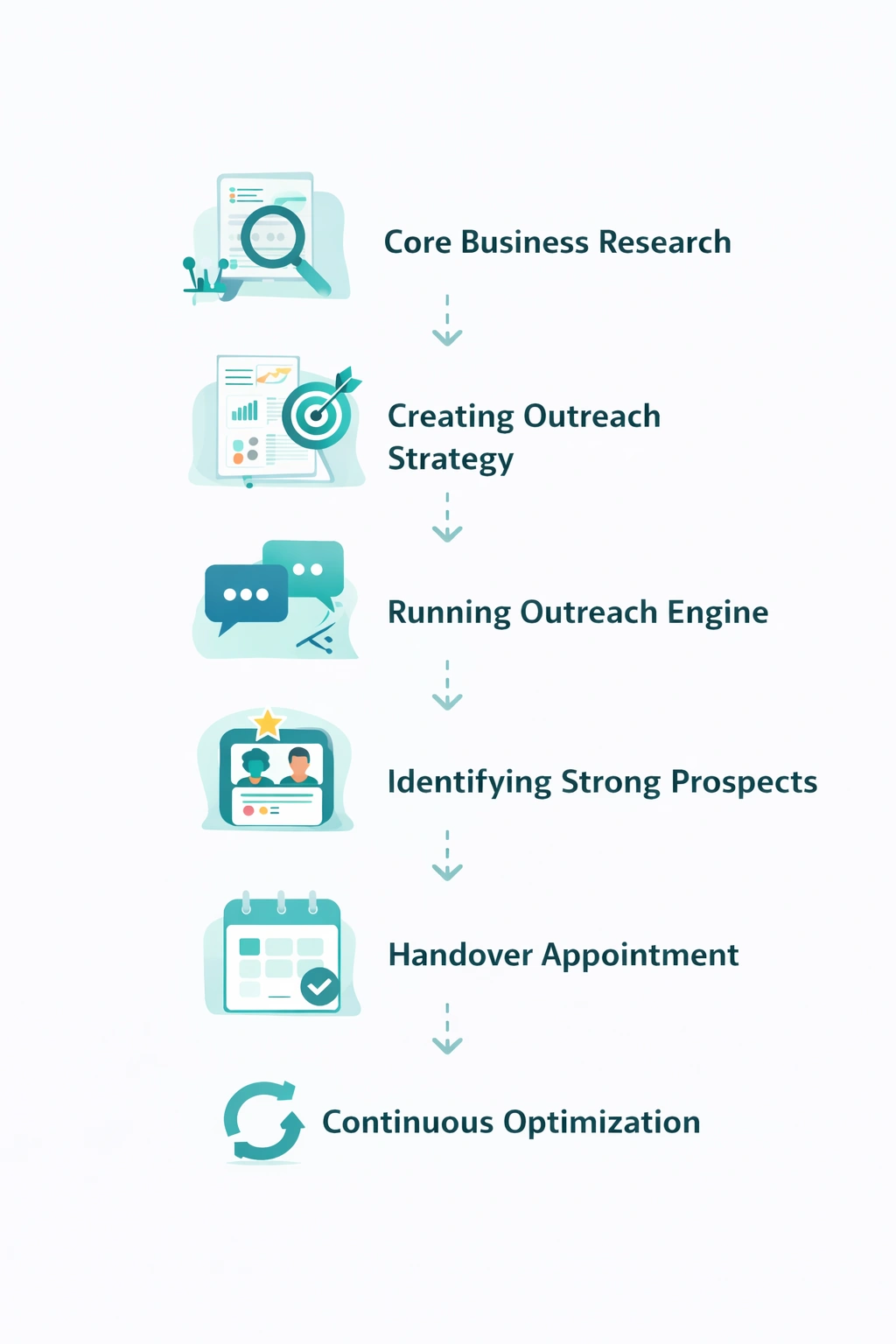
From identifying the right decision-makers to starting meaningful conversations and turning them into qualified appointments... LinkedoJet manages the entire outbound engine for your business.
Next step: get a segmented EdTech account list, the full committee, and signal-based prioritization
If your team is tired of building big lists that don’t convert, we’ll replace guesswork with a system: segmented targeting (K-12 / Higher Ed / Corporate), committee mapping, intent signals, and education-ready outreach that’s executed and managed end-to-end.
What you’ll walk away with: clearer segments, cleaner lists, better timing, and a repeatable way to open conversations before the shortlist is set—without burning credibility with generic outreach.